
AI film stock prompts
Name one stock, describe the light and test the response: a practical guide to Portra, CineStill, Vision3, Kodachrome and HP5 in AI image prompts.
Do film stock names actually change an AI image?
Yes, but as a shorthand rather than a lab-accurate emulation. Image models have seen millions of photographs captioned with stock names, so “Kodak Portra 400” pulls toward warm skin, soft contrast and fine grain; “CineStill 800T” pulls toward tungsten balance and red halation. The name bundles several decisions into one token.
That is useful when the rest of the prompt is specific. It is not useful as a substitute for light, lens and exposure. A stock name over a flat, evenly lit frame produces a flat frame with a film logo attached. Treat the stock as the final line of a shot brief, not the whole brief.
The broader film-look workflow is in how to make AI images look like film; this page goes stock by stock. For the color side, see cinematic color grading AI.
Which film stocks are worth naming in a prompt?
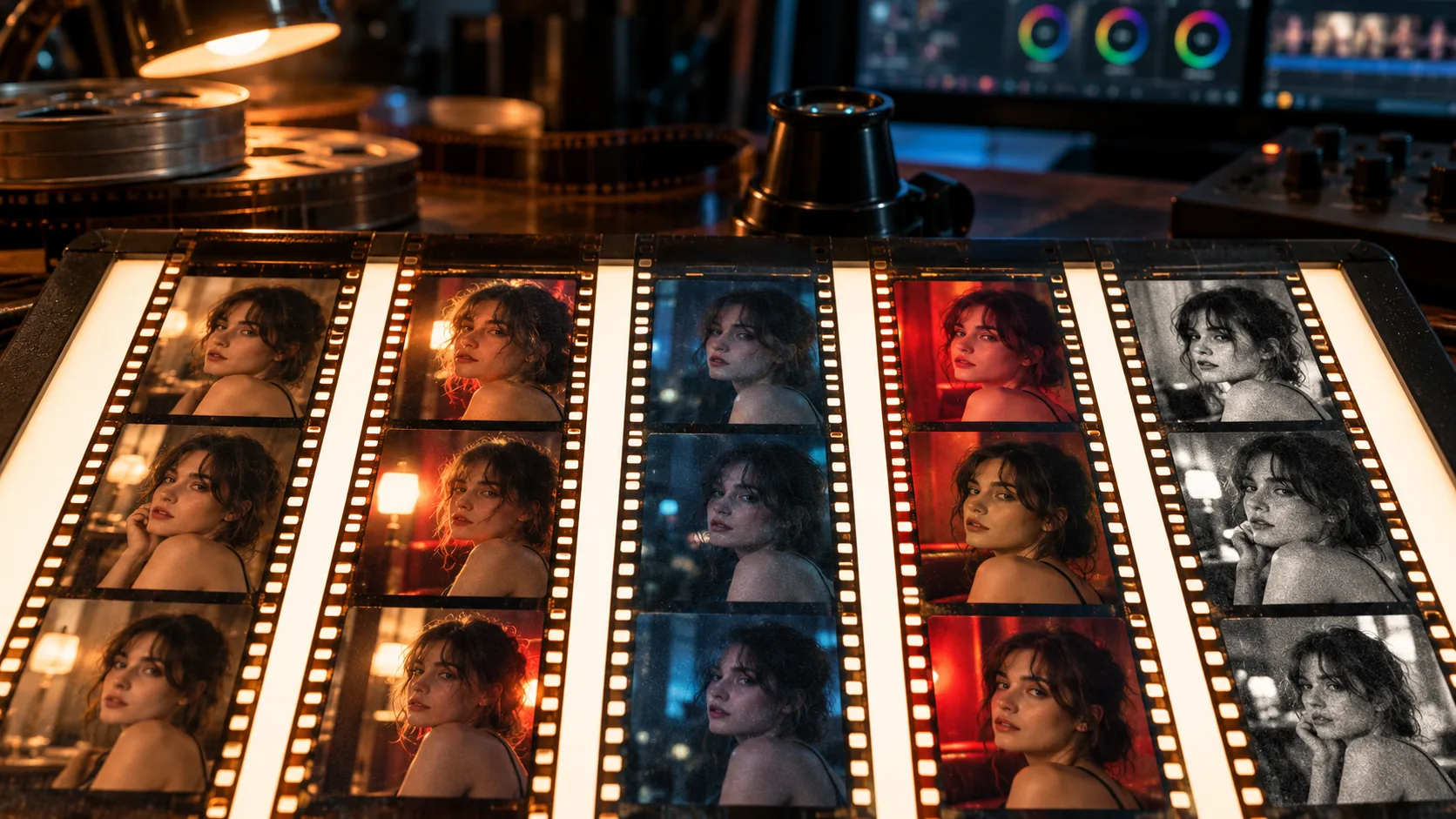
Five stocks cover most of the useful territory: Portra 400 for warm daylight skin, CineStill 800T for tungsten night and halation, Vision3 500T for controlled cinematic night interiors, Kodachrome 64 for saturated mid-century color and HP5 Plus for black-and-white grain. Each one has a distinct visual signal, which is what makes it worth naming.
| Stock | Signature | Best for | Prompt phrase |
|---|---|---|---|
| Kodak Portra 400 | Warm creamy skin, soft contrast, fine grain, muted blues and greens. | Daylight portraits, overcast exteriors, intimate character frames. | “Kodak Portra 400, warm skin, soft contrast, fine grain.” |
| CineStill 800T | Tungsten balance, red halation around highlights, deep night shadows. | Neon streets, practical-lit interiors, night portraits. | “CineStill 800T, tungsten night, red halation, fine grain.” |
| Kodak Vision3 500T | Tungsten cinema negative, wide latitude, controlled highlights, cool shadows. | Night interiors, practical lamps, dialogue scenes. | “Kodak Vision3 500T, tungsten key, protected highlights, cool shadows.” |
| Kodachrome 64 | Saturated reds, dense contrast, crisp mid-century color. | Period frames, graphic exteriors, stylised daylight. | “Kodachrome 64, saturated reds, dense contrast, crisp grain.” |
| Ilford HP5 Plus | Black-and-white, visible grain, broad tonal range, forgiving shadows. | Documentary portraits, noir frames, texture studies. | “Ilford HP5 Plus, black and white, broad tonal range, visible grain.” |
How do you write a film stock prompt?
Use the same five-line shot brief as any other render, then place the stock at the end: scene and blocking, light, lens and frame, palette, then stock plus one or two signature traits. The stock line should not repeat the palette or the light; it should add the response those decisions produce.
One stock per prompt. Two stocks do not combine into a third look; they compete, and the model averages them into something neither. If you want a warmer Portra-like night frame, keep Portra and change the light, not the stock name.
- Subject and blocking: who is in frame and what they are doing.
- Light: source, direction and contrast ratio.
- Lens and frame: focal length, aperture and aspect ratio.
- Palette: one warm and one cool anchor.
- Stock: one name plus one or two signature traits.
- Keep the stock line identical across a sequence.
What does Portra 400 do to a frame?
Portra 400 is the warm, forgiving portrait stock. It softens contrast in the skin, keeps blues and greens slightly muted and holds highlight detail in overcast light. It is a poor fit for a hard neon night unless you want a deliberately mismatched warm portrait against a cool background.
The prompt phrase should name the skin and the light, not just the stock: “Kodak Portra 400, warm natural skin, overcast window light, soft contrast, fine grain.” If the frame turns orange, the palette line is doing too much or the light is too warm; fix that before changing the stock.
What does CineStill 800T do to a frame?
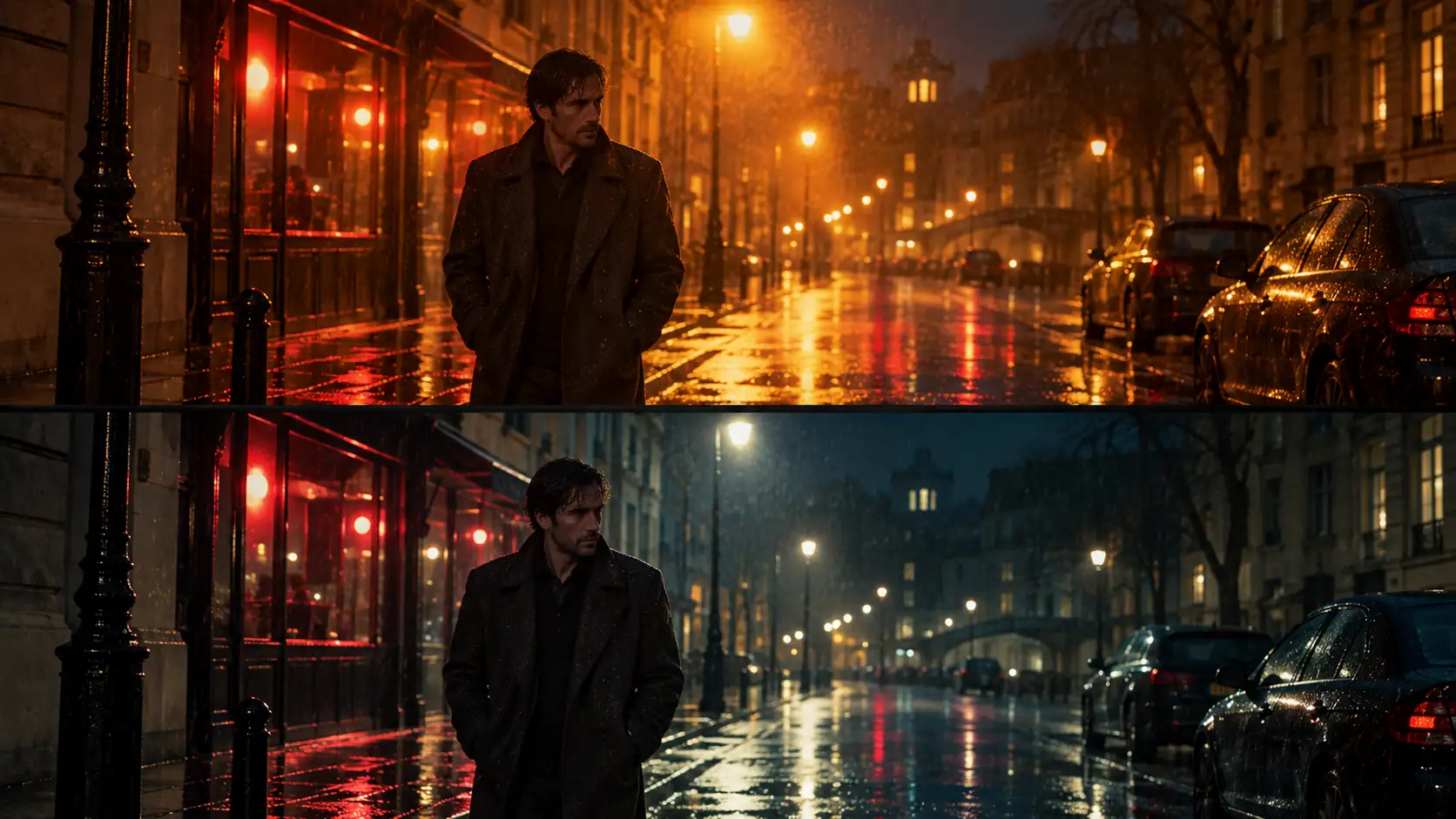
CineStill 800T is tungsten-balanced and famous for red halation around bright practicals and neon. It gives night frames a warm core and deep, slightly magenta shadows. The halation is the signature; if the frame has no bright point source, the stock has little to do.
Use it when the frame contains a lamp, neon, headlight or window practical that can bloom. Keep the rest of the palette cool so the halation has something to sit against. A daylight CineStill prompt often reads as a warm color cast rather than a night film.
What does Vision3 500T do to a frame?
Vision3 500T is a tungsten cinema negative with wide latitude. It holds highlight detail in practicals, keeps shadows cool and produces a more controlled, less stylised night frame than CineStill. It is the stock to name when the scene should feel like a film rather than a neon postcard.
Pair it with a named key and a controlled fill: “Kodak Vision3 500T, warm practical key from camera left, cool window fill, protected highlights, fine grain.” The result should read as exposure decisions, not a filter.
How do you test a stock without wasting credits?
Run a three-frame test at 2K: same subject, same wardrobe, same light, same lens, three different stock lines. Judge the frames at thumbnail size first, because that is where the palette and contrast read, then inspect skin, highlights and grain at full size.
Do not test five stocks in one image. A single frame with five panels will average the light and make the comparison meaningless. Render three separate frames, put them side by side in a contact sheet, and choose the one that survives both sizes.
- Lock one subject, one wardrobe, one light and one lens.
- Render the same brief with Portra 400, CineStill 800T and Vision3 500T.
- Compare the three at thumbnail size for palette and contrast.
- Inspect skin, highlight roll-off and grain at 100 percent.
- Choose one stock for the sequence.
- Keep the stock line unchanged for every following frame.
How do you keep one stock across a sequence?
Fix the stock line and the light logic, then change only blocking, angle and expression. A sequence reads as one film because the second frame contains evidence of the same stock response as the first, not because every frame is individually cinematic.
Build a cinematic contact sheet of the sequence and review it at thumbnail size. If one frame has a different grain or highlight response, the stock line probably drifted. Lock the character with Soul ID and the accent colour with Palette Lock.
What are the common film stock prompt mistakes?
The first mistake is stacking stocks, which averages the look. The second is using the stock name instead of describing the light. The third is expecting an exact emulation; the model is producing a statistical association, not running a film lab. The fourth is mixing color temperatures without deciding which one leads.
The fifth is judging only at full size. A stock can look convincing in a large preview and collapse at thumbnail size, especially when the grain or halation is doing all the work. Test at both sizes and keep the stock line identical across the set.
- Two or three stock names in one prompt.
- A stock name with no light direction or lens.
- Expecting a perfect Portra or CineStill emulation.
- Warm and cool sources fighting without a dominant key.
- Over-sharpening the frame and destroying the grain.
- Changing the stock line between frames in a sequence.
Frequently asked
Do film stock names actually work in AI prompts?
They work as a shorthand for a bundle of color, contrast, grain and highlight behavior learned from captioned photographs. They are not lab-accurate emulations, so pair the stock name with concrete light, lens and palette decisions.
Can I mix two film stocks in one prompt?
You can, but the model usually averages them into a less distinctive look. Pick one stock per shot and change the light or palette if you want a different result.
Which film stock is best for portraits?
Portra 400 is the safest portrait stock for warm skin and soft contrast. CineStill 800T suits night portraits with practicals, and HP5 Plus is the choice for black-and-white texture.
How do I describe CineStill halation?
Name the tungsten balance, the red halation and the source that creates it: “CineStill 800T, tungsten night, red halation around the practical lamp, deep shadows, fine grain.” Without a bright source, the halation has nothing to bloom around.
Is Vision3 better than CineStill for night scenes?
They solve different problems. Vision3 500T gives a controlled cinema-negative night with protected highlights; CineStill 800T gives a warmer, more stylised halation look. Choose by the frame, not by a ranking.
How do I keep the same stock across several images?
Keep the stock line, light direction and lens identical, and change only blocking, angle and expression. Review the set as a contact sheet at thumbnail size before rendering more frames.
Your first cinematic frame is one prompt away
Sign in with Google, pick a plan and keep every still at the resolution the model produced. Plans from $12/month, cancel at any time. No watermark, no re-encode.