
Cinematic night portrait AI
A source-led night portrait workflow for AI stills: one dominant key, one ambient layer, protected skin and a background that stays night-dark.
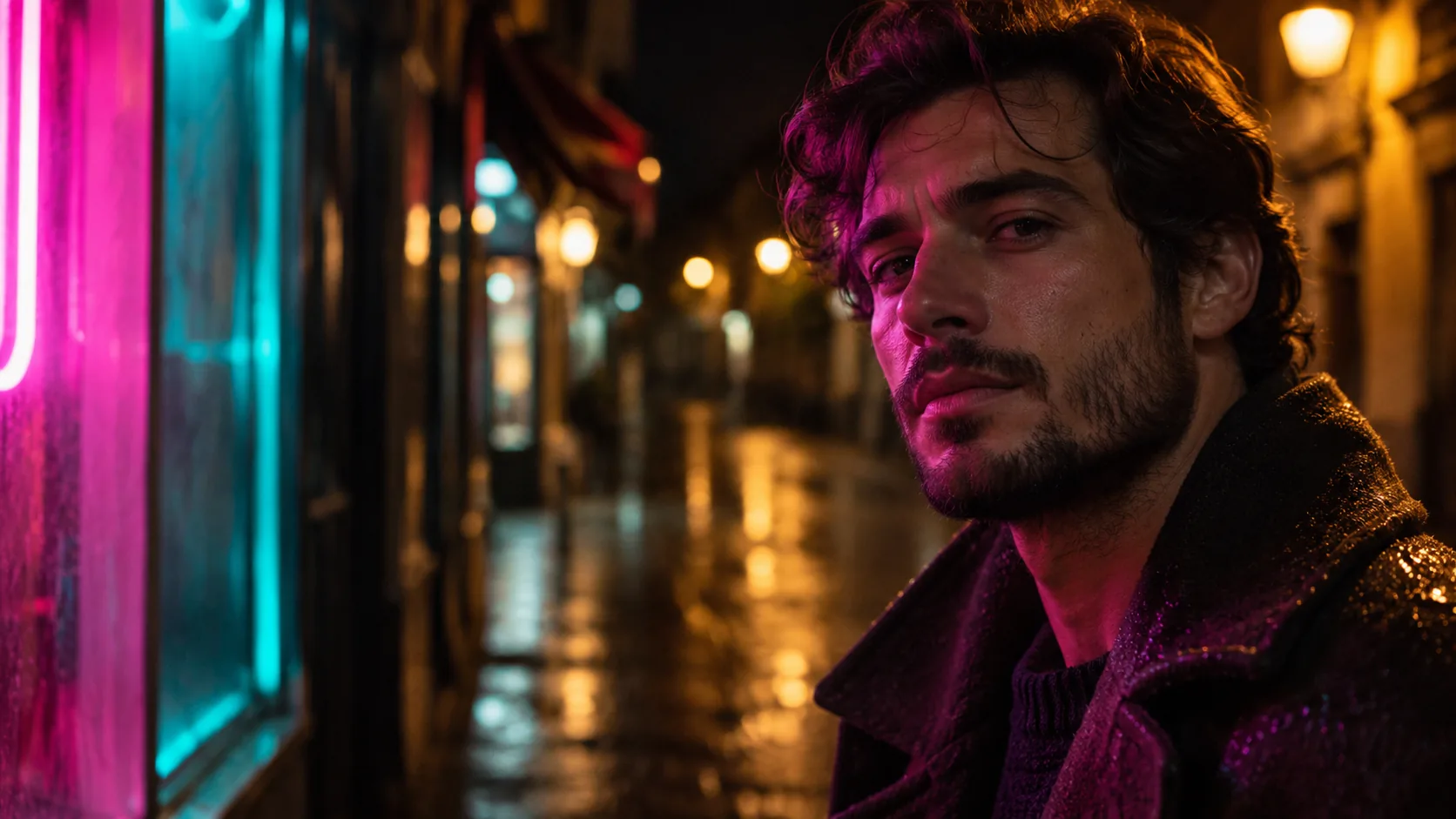
What makes a night portrait cinematic?
A night portrait is not a daylight portrait with the exposure turned down. It is a portrait with a source hierarchy: one key that shapes the face, one ambient layer that explains the place, and darkness that stays dark. The color temperature difference between the key and the ambient does the atmospheric work.
The usual failure is a frame that is evenly lit but dim. Cinematic night portraits keep a clear bright side and a clear dark side, with the background falling away into shadow or bokeh. The face stays readable; the world around it does not compete.
Choose the source before the mood. The cinematic lighting cheat sheet covers the general setups; this page covers the specific problem of a face at night. For the hard-flash branch, see the night flash photography guide.
Which key light should you use?
A night key can be a neon sign, a sodium streetlamp, a practical lamp, a car headlight or a phone screen. Each one has a color, a falloff and a direction. Pick one as the key and let the others become ambient or rim. Two equal keys at night usually produce a flat, video-looking frame.
The key should have a reason to be where it is. A neon sign implies a storefront; a sodium lamp implies a street; a table lamp implies an interior. If the source has no visible logic, the portrait looks lit rather than found.
| Key source | Color | Falloff | Best for |
|---|---|---|---|
| Neon sign | Magenta, cyan, green or red. | Soft, close, strong color cast. | Urban portraits, music, nightlife. |
| Sodium streetlamp | Amber-orange. | Broad top-down pool, hard shadows under the features. | Street portraits, noir, isolation. |
| Practical table lamp | Warm tungsten. | Short, soft, interior. | Intimate interiors, conversation scenes. |
| Car headlights | Cool white or warm halogen. | Hard, low, directional. | Arrival, confrontation, roadside. |
| Phone screen | Cool blue-white. | Very short, close, soft. | Close-up, modern intimacy, isolation. |
| Shop window | Mixed warm and cool. | Broad, soft, environmental. | Walking shots, street observation. |
How do you keep the background dark but readable?
Dark is not empty. The background needs one or two readable shapes — a doorway, a row of windows, a neon edge, a car — and then it can fall away. If the background is pure black, the subject looks cut out; if it is fully lit, the night disappears.
Use a ratio instead of an adjective. “Background two to three stops darker than the face” is a usable instruction. So is “one warm window and one cool sign in the background, both out of focus”. The eye needs somewhere to rest behind the subject without competing with the eyes.
- Name one or two background shapes.
- Keep the background two to three stops darker than the face.
- Use one warm and one cool ambient source at most.
- Let highlights in the background stay small.
- Avoid a fully black background with no place cues.
- Keep the brightest point near the face, not behind it.
How do you protect skin at night?
Skin at night is a white-balance problem. A magenta neon key will put magenta on the skin, which can be correct for the scene, but the shadow side should not also be magenta. Keep one neutral reference in the frame — a white shirt, a gray wall, a neutral practical — so the color cast has something to play against.
Do not crush the shadow side into black. The face should keep some detail even when it is two stops down. Ask for “visible skin texture, gentle shadow detail” and avoid “deep black skin shadows”, which usually produces a silhouette with no face.
| Problem | Cause | Fix |
|---|---|---|
| Magenta or green skin | A saturated key with no neutral reference. | Add a neutral bounce or a white practical, reduce the cast. |
| Gray, lifeless skin | Flat ambient with no key direction. | Choose one directional key, let the other side fall off. |
| Crushed shadow face | Exposure set for the background. | Expose for the face, let the background go darker. |
| Plastic skin | Beauty retouch or “clean” language. | Ask for pores, texture and available-light falloff. |
| Day-for-night look | Bright ambient and short shadows. | Lower the ambient, use hard practicals, add night grain. |
How do you prompt grain, noise and exposure?
Night images carry noise because the camera is working at its limit. A clean, noise-free night portrait often reads as a render. Name a high ISO and available-light grain: “ISO 1600, visible luminance grain, available light” is more convincing than “8K, ultra clean”.
Exposure language matters too. Ask for “highlights on the face protected, background falling into shadow” rather than “well lit”. The latter pushes the model toward a flat exposure that removes the night. A small amount of highlight clipping on a practical is acceptable; clipped skin is not.
- Name ISO 800 to 3200 for night texture.
- Ask for luminance grain, not color blotches.
- Keep the face exposed, let the background fall.
- Allow small practical highlights to clip.
- Avoid “clean”, “HDR” and “8K” as the main look.
- Use “available light” to keep the source logic.
How do you keep a night portrait series consistent?
Fix the key source, its direction, the ambient color and the exposure ratio, then change only the subject and the blocking. If the neon moves from camera-left to camera-right between frames, the series loses its geography. If the ambient changes from sodium to blue, it loses its time of night.
Keep the face with Soul ID and the color with Palette Lock. Review the set as a contact sheet at thumbnail size. The noir stills workflow is the closest genre reference for hard night light and deep shadow.
Which six night portraits should you brief?
Six briefs cover the source range: the neon close-up, the sodium street walk, the practical interior, the car arrival, the phone-screen intimate and the shop-window observer. Each one assigns the key a different job and the background a different amount of information.
| Portrait | Key | Background | Prompt anchor |
|---|---|---|---|
| Neon close-up | Magenta sign from camera-left. | Dark street with one cool sign. | Half the face in magenta, deep shadow side, visible skin texture. |
| Sodium street walk | Streetlamp from above and behind. | Wet pavement, distant windows. | Warm top light, long shadow, figure walking away. |
| Practical interior | Table lamp low and close. | Dim room, one window with city glow. | Warm key on the face, dark room, quiet expression. |
| Car arrival | Headlights from camera-right. | Dark road, reflective car body. | Hard low key, rim on the coat, night road behind. |
| Phone-screen intimate | Phone below the face. | Almost black room. | Cool underlight, soft face, dark background, modern isolation. |
| Shop-window observer | Window light from the side. | Street reflections and passing lights. | Mixed warm and cool light, face turned to the window, city bokeh. |
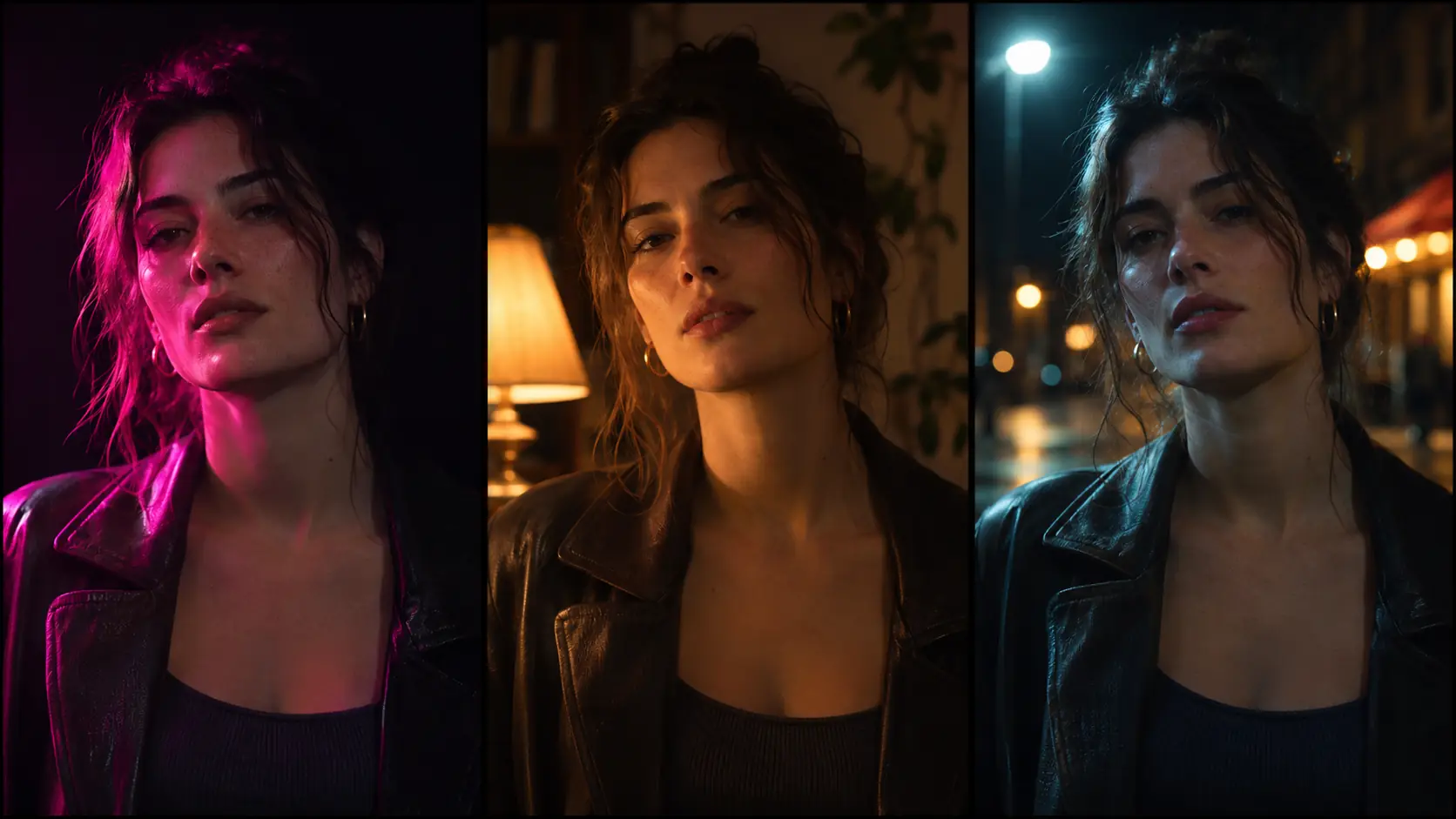
What are common night portrait AI mistakes?
The first mistake is two equal keys, which flattens the face. The second is a background so bright that the night disappears. The third is a color cast with no neutral reference, which turns skin magenta or green. The fourth is crushing the shadow side until the face is gone.
The fifth is a clean, noise-free look that reads as a render. The sixth is a source that has no reason to exist. Night portraits work when the light feels found, not installed.
- Two equal keys with no hierarchy.
- A background brighter than the face.
- Saturated color cast with no neutral reference.
- Shadow side crushed to pure black.
- Noise-free, HDR-looking night.
- A key source with no visible logic.
Frequently asked
How do I write a cinematic night portrait prompt?
Name one key source and its direction, the ambient color, the exposure ratio and the film texture. For example: “magenta neon key from camera-left, dark street with one cool sign, background three stops down, ISO 1600 grain, visible skin texture.”
What is the best light for a night portrait?
Any single directional source works: neon, sodium streetlamp, practical lamp, headlights or a phone screen. The important part is one dominant key, one ambient layer and a background that stays darker than the face.
Why does my night portrait look like daytime?
The ambient is too bright and the shadows are too short. Lower the ambient, use a hard practical source, expose for the face and let the background fall two to three stops darker.
How do I keep skin from turning magenta or green?
Keep one neutral reference in the frame, such as a white shirt or gray wall, and avoid stacking a saturated key with a saturated ambient. The color cast should come from one source, not the whole frame.
Should night portraits have grain?
Usually yes. A little luminance grain and an ISO 800 to 3200 note makes the image feel like available-light photography. A completely clean night image often reads as a render.
Can Soul Cinema keep the same night look across a series?
Yes. Fix the key source, direction, ambient color and exposure ratio, keep the face with Soul ID and the palette with Palette Lock, then review the set as a contact sheet.
Your first cinematic frame is one prompt away
Sign in with Google, pick a plan and keep every still at the resolution the model produced. Plans from $12/month, cancel at any time. No watermark, no re-encode.