
Palette lock: colour that survives a re-render
Pin the hex, free the camera: why an unpinned colour drifts between frames, how to choose a palette worth holding, and how palette lock and Soul ID work together in a sequence.
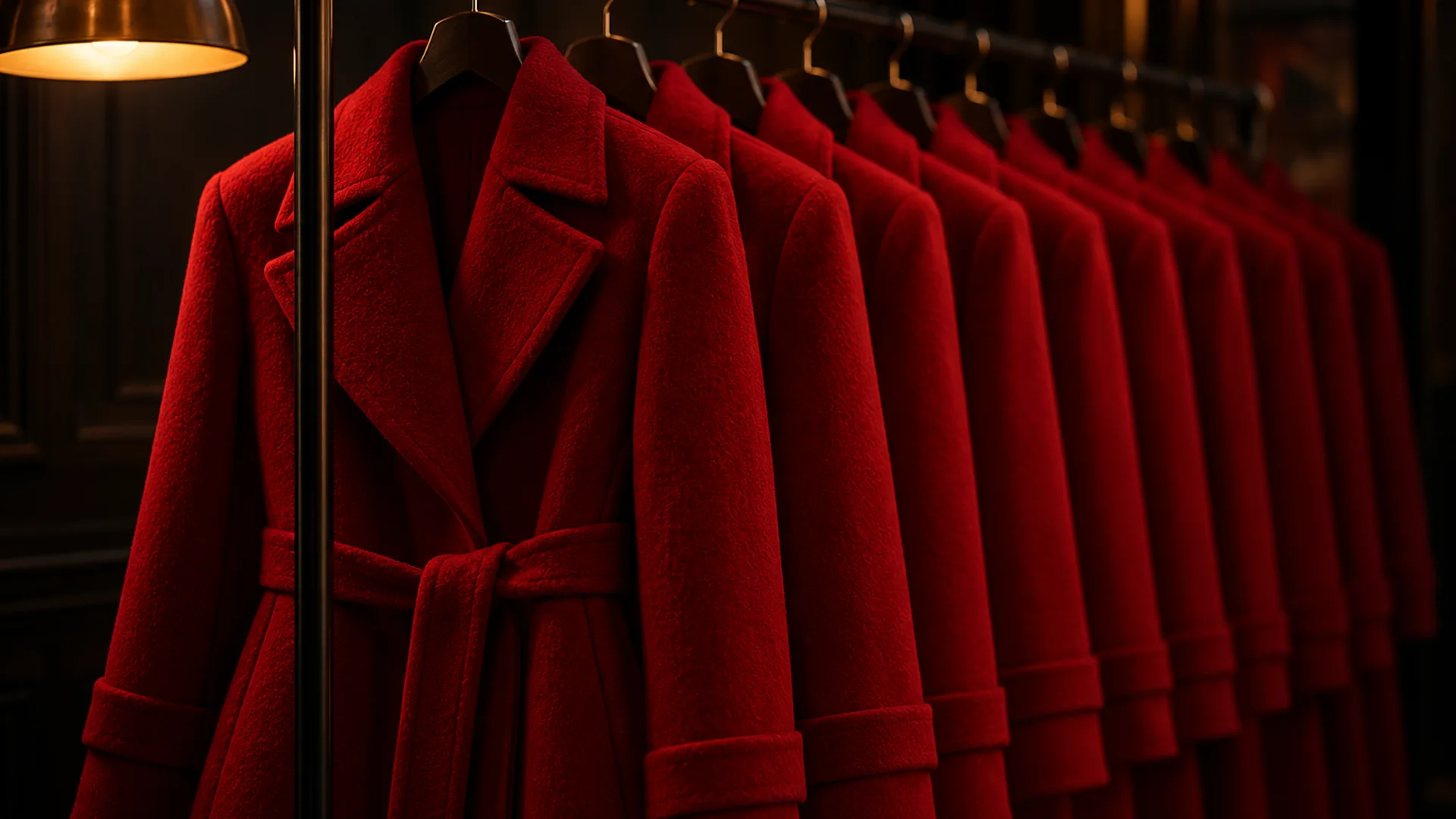
What palette lock does
Palette lock pins a colour you name — a hex value — and holds it across re-renders. Change the angle, change the light, change the output size, and the pinned colour is still the one you asked for instead of a neighbour of it.
It solves the second-strongest drift in generated stills, after identity. A face that changes between frames breaks a sequence immediately; a signature colour that shifts from oxblood to cherry red breaks it quietly, which is worse, because the sequence stops feeling like one piece of work without any single frame looking wrong.
The identity side of the same problem is handled by Soul ID, and the wider question is framed in AI character consistency.
Why colour drifts between renders
An unpinned colour is re-decided on every render. The model reads “deep red” as a direction, not a value, and resolves it against whatever the frame contains: the same coat comes back warmer in an interior with practical lamps and colder on a blue night exterior, because the light is being mixed into the material.
Size matters too. A frame delivered at 8K has been upscaled from a native render, and an unpinned accent can shift hue while the extra detail is being invented. Dark and reflective materials — black wool, patent leather, brushed metal — drift furthest, because their colour is mostly bouncelight, and bouncelight is the light you did not describe.
- The word “red” is a direction; #8E1F2F is a value. Pin the one you mean.
- Warm and cold frames drag the same colour in opposite directions.
- Dark, glossy and metallic surfaces drift most, because their colour is reflected light.
- A third and fourth accent colour competes for the same pixels; pin two, not five.
How to build a palette worth pinning
Choose one base colour, one accent for the subject and one for the environment, then write them as values. The base sets the world, the subject accent is the thing that should follow the character through every frame, and the environment accent is what the light is allowed to contaminate.
This is also the fastest way to make a sequence look designed rather than generated. A frame with four competing colours reads as a mistake; a frame with one base and two accents reads as a decision, and the same three values repeated across six frames is what makes the set feel authored.
- One base: the largest area in the frame, usually a neutral or a deep tone.
- One subject accent: wardrobe, hair or a signature prop, pinned as a hex.
- One environment accent: the neon sign, the lamp, the sky — allowed to move.
- Everything else: neutrals, taken from the light you described rather than from a named colour.
Palette lock in a six-frame sequence
In a sequence, pin the wardrobe and any signature prop, then let the light change frame to frame — that is the whole point: identity and colour held, camera and light free. Without the lock, a coat drifts warm in frame two and cold in frame four, and the cut between them reads as a continuity error.
Render the sequence at 2K while you tune it, one credit a frame. Once the palette holds across all six frames, take the winners to 4K or 8K; only the frames that were re-rendered for a colour problem cost extra, and failed frames are refunded automatically.
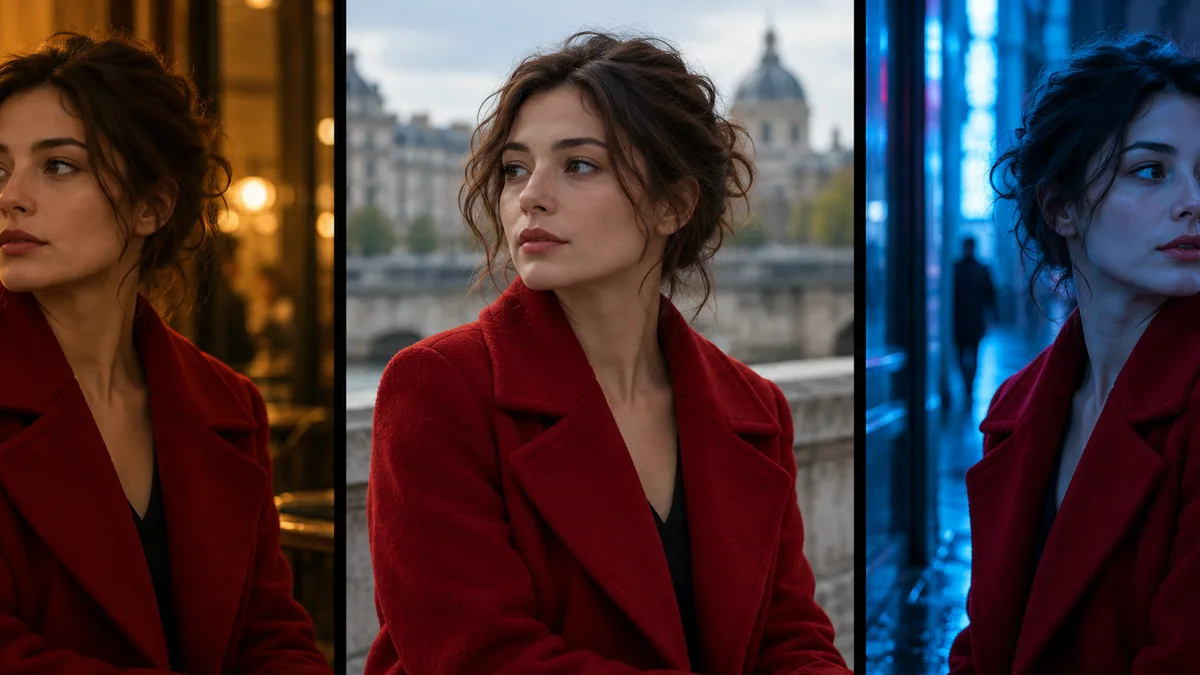
Palette lock with Soul ID: the two locks together
Soul ID holds the person; palette lock holds the colour. Switched on together, they fix the two things a sequence cannot afford to lose, and they leave you the two things a sequence needs to vary: the light and the camera.
What stays yours is the rest of the brief. The light line still decides how the pinned colour reads on the day — a pinned hex under a hard key and a pinned hex under soft daylight are the same value and a different picture. That is not drift; that is lighting, and it is the part worth keeping under your hand.
Every plan includes palette lock; the credit volume and the resolution tiers per plan are on the Soul Cinema pricing page, starting at $12/month.
Frequently asked
What is palette lock?
It is the colour consistency feature: it pins a requested hex value so a wardrobe, prop or accent colour survives a re-render at a different angle, size or lighting condition instead of drifting to a neighbour of the colour you asked for.
How is palette lock different from Soul ID?
Soul ID holds identity — face, hair and wardrobe — across a sequence of up to six frames. Palette lock holds colour values. Together they fix the person and the palette, leaving light and camera free to change frame to frame.
Do I need to use hex codes?
A hex value is the safest way to pin a colour, because a name like “deep red” is a direction rather than a value. If you do not have a hex, convert the colour you want from a photo or a brand sheet before the first render.
Why does my accent colour shift at 8K?
8K exports are AI-upscaled from a native 4K render, and an unpinned accent can shift hue while the extra detail is being invented. Pinning the colour before the render is the fix, as is choosing 8K only once the frame is a keeper.
Does palette lock work in client work?
Yes. Brand colours and wardrobe hexes stay where you put them across a sequence, and the Max plan includes the commercial licence for client work. You keep the rights to the frames you render, provided you hold the rights to the people and material you describe.
Your first cinematic frame is one prompt away
Sign in with Google, pick a plan and keep every still at the resolution the model produced. Plans from $12/month, cancel at any time. No watermark, no re-encode.