
Film grain: the texture that sells the frame
What grain does to a rendered still — where it lives, when to switch it on, how it scales through re-renders — and how it completes the set with Soul ID and palette lock.
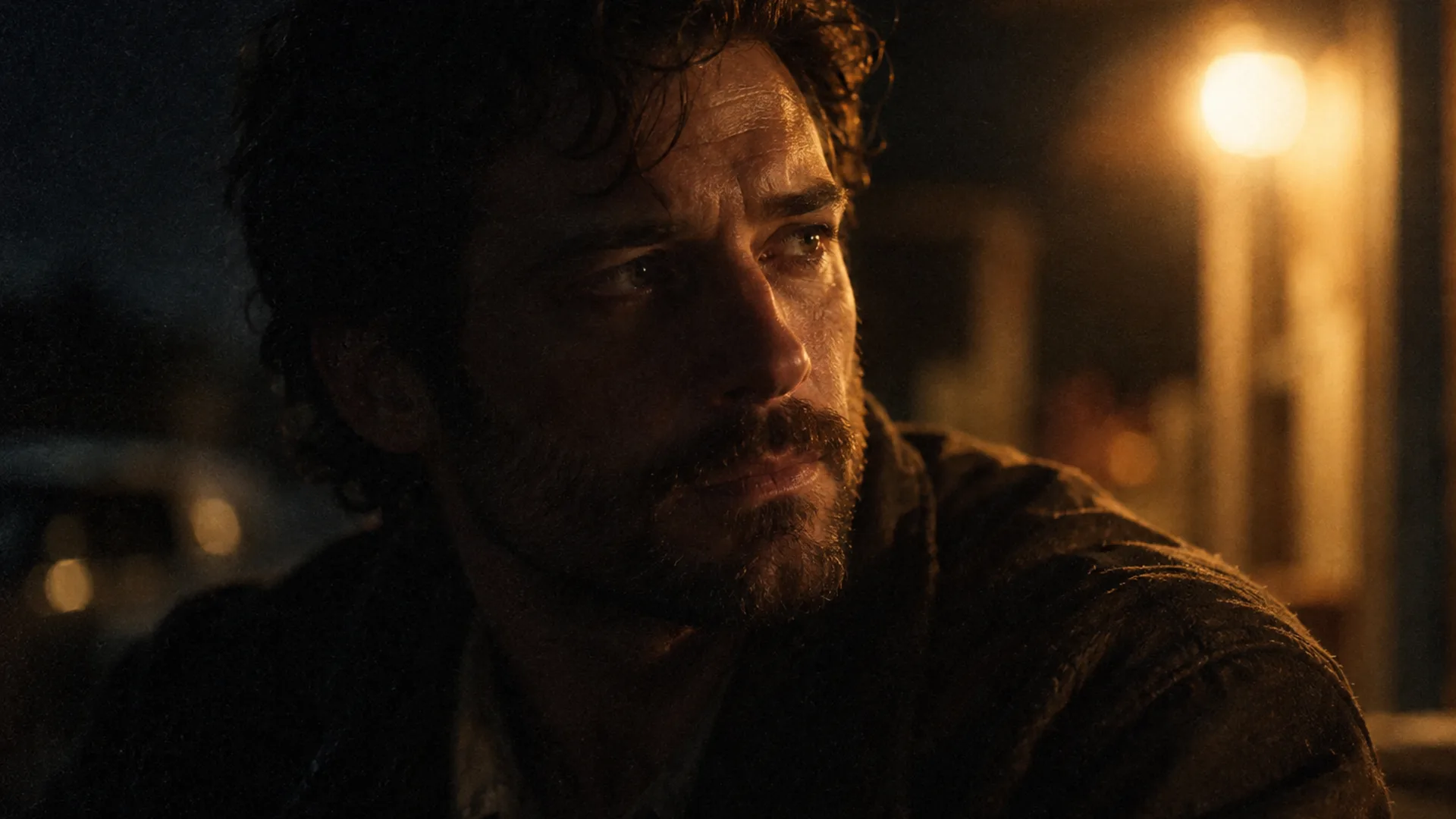
What grain is doing in a still
Grain is texture signal, not decoration. On a rendered still it does three jobs at once: it breaks the plastic smoothness that gives AI frames away, it carries a little halation into the highlights so brights bloom instead of clipping, and it unifies mixed light sources by giving every surface the same noise floor.
It also costs something — shadow detail reads as noise sooner, and very clean commercial frames fight it. Grain is a decision, not a default.
When to turn it on — and when to leave it off
The look tests that follow the same rule as light: decide once, at test size, and keep the answer constant for the whole sequence.
- On for night exteriors, period frames and anything that should read as shot on film — the darker the frame, the more grain carries it.
- On when highlights need halation: a bare bulb, a streetlamp, a window that would otherwise clip to flat white.
- Off for bright, high-key editorial and product frames where clean gradients matter more than texture.
- Off for frames that will be heavily re-graded downstream — a strong grade amplifies grain further.

Grain is a stock decision, not a slider
In the five-line brief, grain belongs on the stock line — the same line that names the film and its speed. Fine grain reads as daylight stock; medium reads as general-purpose; coarse belongs to pushed night stock, where the grain is part of the lighting story rather than a flaw in it.
The full line structure is covered in Soul Cinema prompts. The point here is that “some grain” is not an instruction — fine, medium or coarse, pick one and keep it constant across a sequence so the texture does not jump between frames.
How grain behaves through re-renders and 8K
Grain scales with the image. A 2K test upscaled to 8K carries grain twice as large in the final frame as it was in the test; a frame rendered at 8K directly keeps the texture the model intended. That asymmetry is why keepers should be re-rendered at their final size instead of upscaled from a test.
Failed frames are refunded, so a grain question is never an expensive one: the same frame with grain on and with it off is two credits at 2K, and the comparison settles the look.
How grain works with the other controls
Three controls, three layers of the frame — and grain is deliberately the last one:
- With Soul ID: the lock holds face and wardrobe while grain changes the surface around them — texture never threatens identity.
- With palette lock: pin the colour first, then let the texture settle on top; a grade that is still moving will make grain look heavier than it is.
- With the look presets: night looks (Neo-noir) wear grain most naturally, editorial looks wear it least — grain is what a pushed night stock does, not a filter.
Frequently asked
Is film grain the same as noise?
No. Grain is organic, with a soft structure and halation in the highlights; sensor noise is sharp and sits in the shadows. A good film look adds the first without looking like it has the second.
Does grain survive the 8K upscale?
Grain scales with the frame, so it survives — larger. For a keeper, render the final size directly instead of upscaling a grain-heavy test, or the texture doubles in the final file.
Does turning grain on cost extra credits?
No. Credits are charged by output size — 1 for 2K, 2 for 4K, 4 for 8K — and grain is a look decision inside the frame, not a separate charge. Failed frames are refunded.
Should every frame in a sequence carry grain?
Yes — pick fine, medium or coarse once, at the look test, and keep the stock line constant. Texture that changes between frames reads as six different films.
Can I add grain in an editor afterwards instead?
You can, but that is a second pass over a finished file. Rendering the texture into the frame keeps the export at the size the model produced, with nothing re-encoded and no watermark added.
Your first cinematic frame is one prompt away
Sign in with Google, pick a plan and keep every still at the resolution the model produced. Plans from $12/month, cancel at any time. No watermark, no re-encode.