
AI film treatment
Turn a written film treatment into a visual lookbook: define the rules, render six key frames and present a deck that proves the look before the shot list.

What is a film treatment?
A film treatment is a short document that sells the story, tone and visual approach before the script or shot list. It is not a screenplay and it is not a moodboard. It is the argument for why the film should look and feel the way it does, written in enough detail that a director, client or crew can agree on the world.
The treatment structure guide treats the document as a persistent brief for an AI production: logline, visual language, lens and aspect, lighting, palette and negative prompts. That is the right frame for this page. The treatment is the source of truth; the lookbook is what proves it.
Soul Cinema does not write the treatment and does not lay out the deck. It renders the key frames that turn the written look into a visual argument.
What belongs in a visual treatment?
A visual treatment needs six things: a logline, a short story or scene description, the tone, the visual rules, the palette and a set of key frames. The first four are text; the last two are images. The images should be evidence of the rules, not a random collection of attractive frames.
The visual rules are the part most treatments skip. “Warm, anamorphic, 2.39:1, practical-led night, deep shadow, restrained saturation” is a rule set. A folder of reference images is not. The rules are what allow another person or model to reproduce the look.
- Logline: one sentence that states the story and the tension.
- Story or scene: the world and the visual problem.
- Tone: the emotional register, in three or four adjectives.
- Visual language: lens, aspect ratio, light logic and camera behavior.
- Palette: two or three anchor colors, with a dominant and an accent.
- Key frames: six images that prove the rules.
- Next step: shot list, storyboard or production plan.
How do you structure a treatment for AI production?
Structure the treatment so every visual claim can become a prompt. That means naming the lens, the light direction, the palette and the texture rather than writing “moody and cinematic”. The document should be readable by a human and usable as a brief by a model.
The shot-list and visual-treatment workflow is a useful comparison: a treatment that ends with a shot table is easier to produce than a treatment that ends with adjectives. Soul Cinema’s script-to-storyboard workflow takes over at the shot-list stage.
- Logline and story in plain language.
- Tone in three or four specific adjectives.
- Visual language: lens, aspect, light, movement and texture.
- Palette: dominant, secondary and accent, with hex values if possible.
- Key frames: six images that demonstrate the rules.
- Next step: shot list, storyboard, contact sheet or motion test.
How do you turn the treatment into a lookbook?
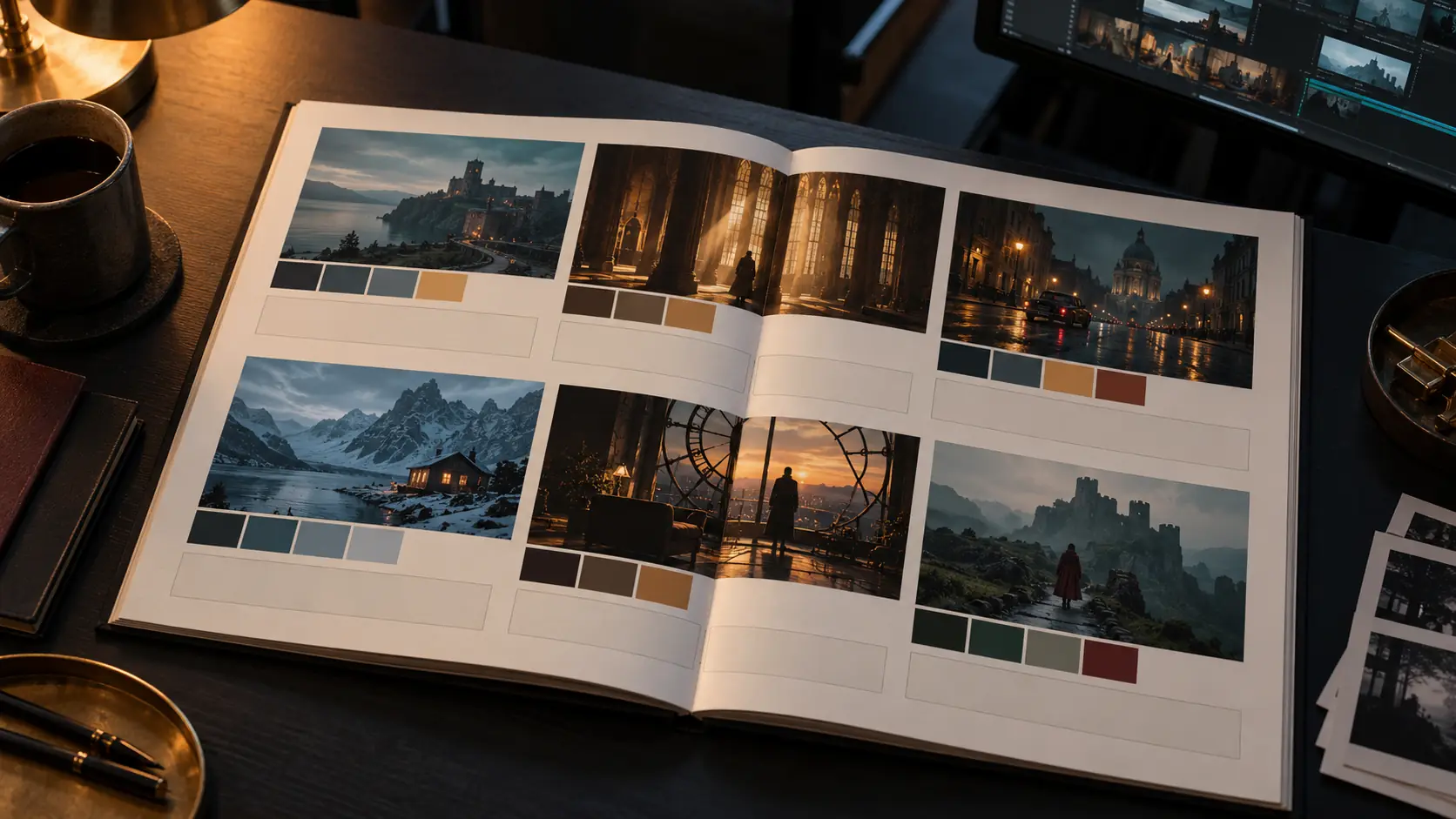
Extract the visual rules into a reusable five-line brief, then render six key frames with the same character, palette, lens and light logic. Arrange the frames in a simple deck with the rules beside them. The deck should read as one world, not six separate images.
The lookbook is not a portfolio. Its job is to make the treatment concrete enough that a client can approve the look and a production can repeat it. If the frames do not share a palette and a light logic, the lookbook is not finished.
- Write the five-line visual brief from the treatment.
- Choose one hero frame that states the world.
- Render one character frame and one location frame.
- Render one texture or detail frame and one night/light frame.
- Render one transition or final frame.
- Review all six as a contact sheet before laying out the deck.
Which key frames should you render first?
Start with the hero frame: the single image that would sell the film on a poster or a pitch cover. Then render the character frame, the location frame, the detail frame, the light frame and the transition frame. Those six cover the world, the actor, the set, the texture, the mood and the movement between scenes.
If the hero frame does not work, do not render the other five. The hero frame is the treatment’s thesis; the rest of the lookbook supports it. Fix the light and the composition first, then expand.
- Hero frame: the image that states the visual thesis.
- Character frame: the cast and wardrobe in the world.
- Location frame: the set and its light logic.
- Detail frame: texture, props or a close-up that carries the tone.
- Light frame: the night or interior look at its most characteristic.
- Transition frame: the move into the next scene or act.
How do you keep the look consistent across the deck?
Keep the character, palette, lens, light direction and stock lines identical across all six frames. Change only the scene, the blocking and the shot size. A lookbook reads as one world because the second frame contains evidence of the same decisions as the first.
Use Soul ID for the cast and Palette Lock for the accent color. Review the deck as a contact sheet before adding typography, and use the film-look workflow to keep the grade consistent.
What is a six-page treatment deck?
A six-page deck is enough to present a visual treatment without turning it into a screenplay. Page one: cover and logline. Page two: story and tone. Page three: visual language. Page four: palette and texture. Page five: six key frames. Page six: shot list, storyboard or next steps.
The deck should be readable in five minutes. If a page needs a paragraph of explanation, the visual rule is not clear enough. The images should carry the argument; the text should name the decisions.
- Page 1: title, logline and one hero frame.
- Page 2: story, tone and the visual problem.
- Page 3: lens, aspect ratio, light logic and camera behavior.
- Page 4: palette, texture and stock references.
- Page 5: six key frames in a clean grid.
- Page 6: shot list, storyboard or production next steps.
How do you present a treatment to a client?
Present the visual rules before the images. A client needs to understand why the frames look the way they do; otherwise the conversation becomes a vote on individual pictures. Start with the logline, the tone and the visual language, then show the key frames as evidence.
Keep the deck short and leave the alternatives in an appendix. If a client wants a different look, change one rule at a time and re-render the hero frame before rebuilding the whole deck. The treatment is a decision document, not a gallery.
What are common treatment mistakes?
The first mistake is writing too much and showing too little. The second is a lookbook with no visual rules, where every frame is attractive but none of them belong to the same film. The third is using references without translating them into lens, light and palette decisions.
The fourth is overpromising what AI can do: a treatment should not claim that a stills console will produce a finished video or a typographic poster. The fifth is skipping the shot list, which leaves the treatment as an idea rather than a production plan.
- Too much prose, too few visual decisions.
- A lookbook with no shared palette or light logic.
- Reference images with no lens, light or palette translation.
- Claiming video, typography or full post-production from a stills tool.
- No shot list or storyboard after the treatment.
- Changing several visual rules at once when a client gives feedback.
Frequently asked
What is the difference between a treatment and a script?
A script contains scenes, action and dialogue in screenplay format. A treatment is a shorter document that sells the story, tone and visual approach before the script or shot list. It is a decision document, not a shooting script.
Can AI write a film treatment?
AI can draft text, but a useful treatment still needs your story, tone and visual decisions. This page focuses on the visual side: turning those decisions into a lookbook of key frames with Soul Cinema.
What images should a visual treatment include?
Six key frames are enough: a hero frame, a character frame, a location frame, a detail frame, a light frame and a transition frame. They should all share the same palette, lens and light logic.
Which frame should I render first?
Start with the hero frame. It states the visual thesis of the treatment. If the hero frame does not work, fix the light, composition and palette before rendering the other five.
How do I keep the lookbook consistent?
Keep the character, palette, lens, light direction and stock lines identical across the six frames. Change only the scene, blocking and shot size, then review the set as a contact sheet before adding typography.
Does Soul Cinema lay out the treatment deck?
No. Soul Cinema renders the still frames. The treatment document and the deck layout happen in a writing or design tool; the frames are the visual evidence you place into that deck.
Your first cinematic frame is one prompt away
Sign in with Google, pick a plan and keep every still at the resolution the model produced. Plans from $12/month, cancel at any time. No watermark, no re-encode.