
Cinematic composition AI
A practical composition system for AI stills: block the subject, build three depth layers and choose one framing pattern that survives the whole sequence.
What does composition control in an AI image?
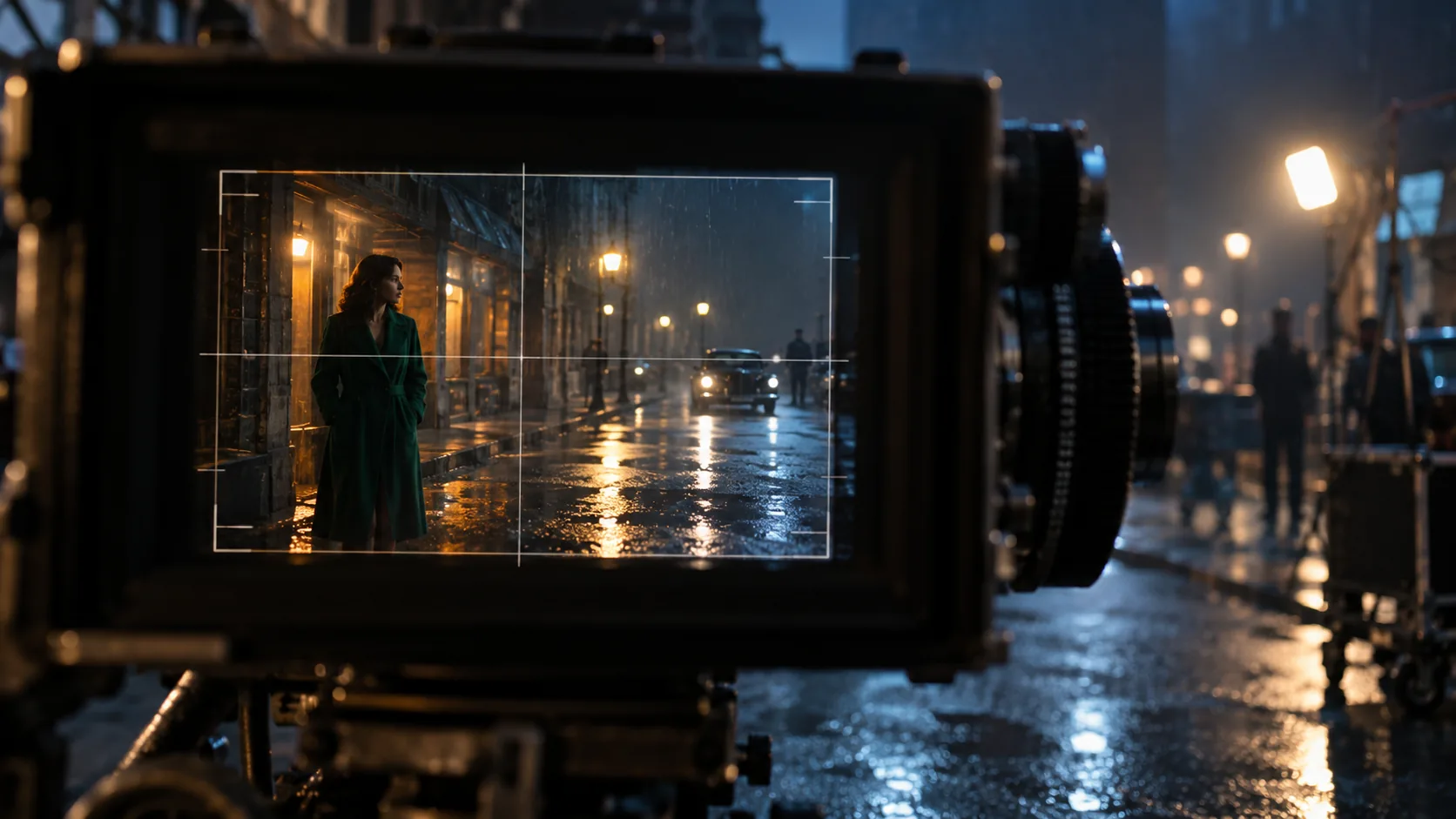
Composition controls where the eye goes first, where the subject sits, how much space surrounds them and how many depth layers the frame contains. It is not a decorative grid laid over the image; it is the set of decisions that make a still readable before the viewer notices the light or the grade.
Camera angle and lens are separate controls: the AI camera angle guide covers viewpoint, and depth of field prompts cover focus. Composition decides how the subject, foreground and background are arranged inside that frame. The Hailuo rule-of-thirds guide makes a useful point: describe the subject’s position in the scene, not a camera rotation in degrees.
How do you describe blocking instead of camera degrees?
Blocking is where the subject is and what they are doing in the space. “She stands at the left edge of the platform, facing the departing train, with the station clock above her right shoulder” is blocking. “Rotate the camera fifteen degrees” is a rig instruction the model cannot reliably follow.
Use the frame as a clock face or a grid: left third, right third, lower center, foreground corner. Add the body orientation and the eyeline. If the subject is moving, say where they entered from and where they are going; that gives the model a direction for the pose and the negative space.
- Position: left third, right third, center, lower center.
- Body orientation: facing camera, profile, turning away.
- Eyeline: into the frame, off camera, down at a prop.
- Movement direction: entering from camera left, crossing toward the door.
- Foreground relationship: behind a counter, through a doorway, under a lamp.
- Negative space: where the eye should rest after the subject.
Which composition patterns read as cinematic?
Eight patterns cover most of the useful ground. They are not rules to apply mechanically; they are repeatable ways to answer the question “where does the eye go?” Choose one pattern per frame and let the others support it.
| Pattern | What it does | Best for |
|---|---|---|
| Centered symmetry | Creates formality, stillness or threat. | Institutions, corridors, direct address. |
| Rule of thirds | Places the subject off-center and leaves breathing room. | Portraits, dialogue, environmental frames. |
| Frame within a frame | Uses a doorway, window or mirror to isolate the subject. | Interiors, surveillance, intimacy. |
| Leading lines | Pulls the eye toward the subject or the vanishing point. | Platforms, roads, corridors, architecture. |
| Negative space | Makes the subject small, exposed or delayed. | Isolation, landscape, suspense. |
| Over-the-shoulder | Puts the viewer inside the conversation. | Dialogue, reveals, point of view. |
| Foreground occlusion | Adds depth and a sense of a hidden observer. | Tense interiors, crowds, doorways. |
| Diagonal composition | Adds movement and instability. | Action, unease, off-balance frames. |
How do you build foreground, midground and background layers?
A cinematic frame usually has three layers: something close to the lens, the subject in the middle distance and a background that establishes the world. The foreground can be out of focus; it only needs to create depth and a sense of looking through something.
If the frame feels flat, the missing layer is usually the foreground. Add a doorway edge, a curtain, a car roof, a glass reflection or a shoulder. If the background feels empty, add one large shape or light source rather than a field of detail.
- Foreground: a dark edge, reflection, fabric or blurred object near the lens.
- Midground: the subject, sharp enough to read and placed on a deliberate third.
- Background: one large shape, window or light source that explains the space.
- Atmosphere: haze, rain or smoke to separate the planes.
- Eyeline: a clear path from the foreground to the subject to the background.
- Negative space: one area that is allowed to stay quiet.
How do you use negative space and eyeline?
Negative space is not empty space; it is the area the viewer’s eye travels through after leaving the subject. Put it in front of the eyeline or the movement direction, not behind the subject’s back. A character looking frame-right needs space on the right.
Too little negative space feels cramped; too much makes the subject incidental. Start with the subject on a third and one clean area roughly a third of the frame. If the story is isolation, increase the empty area; if it is intimacy, reduce it and move the camera closer.
- Place space in the direction of the gaze or movement.
- Keep one quiet area free of detail and competing highlights.
- Use a foreground edge to frame the negative space.
- Do not center the subject and leave equal space on both sides unless the symmetry is the point.
- Test the frame at thumbnail size; the eye path should survive.
How do you keep composition consistent across a sequence?
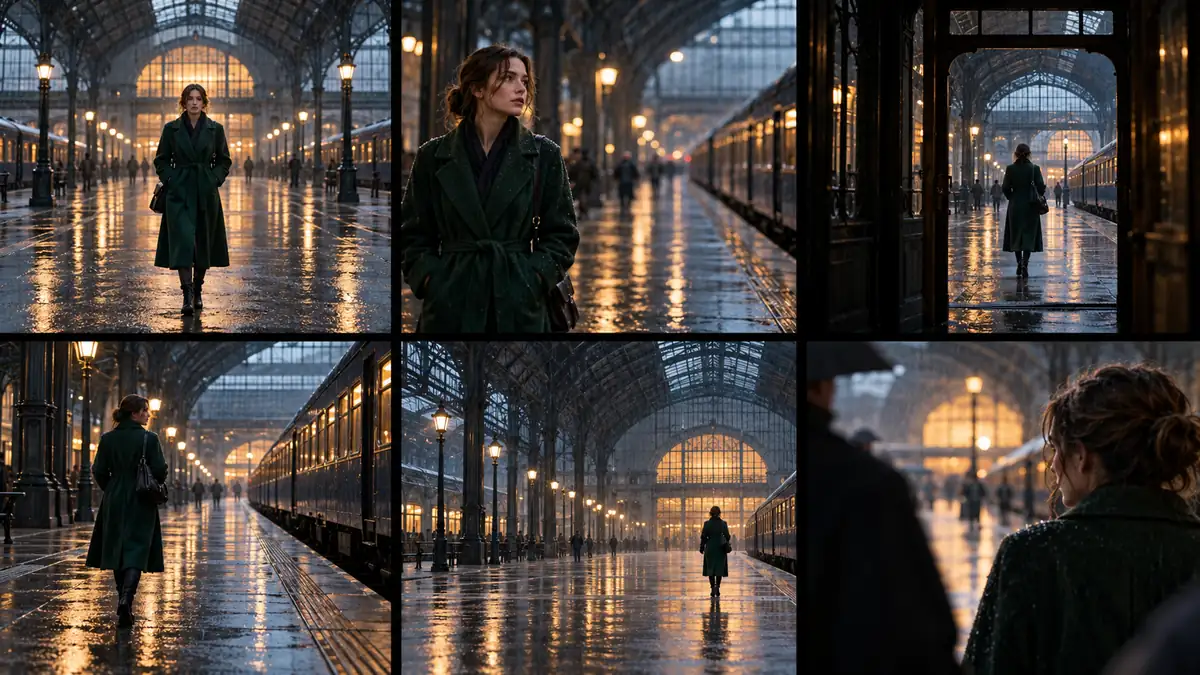
Fix the frame pattern, the axis and the subject’s screen direction, then change only blocking and shot size. A sequence reads as one scene because the second frame respects the first frame’s geometry, not because every frame uses the same rule.
Build a cinematic contact sheet and review the set at thumbnail size. If the subject jumps from the left third to the right third without a motivated cut, the sequence will feel random. Keep the location with AI location consistency.
How do you test composition at thumbnail size?
The thumbnail is the honest test. A composition that needs a large screen to explain itself will fail in a deck, a contact sheet or a feed. Shrink the frame and ask four questions: is there one dominant shape, is the subject readable, is the eye path clear and is there enough quiet space?
If the thumbnail reads as a flat grid of equal details, remove something. If the subject disappears, increase the contrast or move them closer. If the eye goes to the background first, reduce the background highlight or add a foreground edge.
- Is there one dominant shape or subject?
- Can you tell where the subject is in the space?
- Does the eye travel from foreground to subject to background?
- Is there one quiet area for the eye to rest?
- Does the frame still read in black and white?
- Does the composition survive the crop for the delivery ratio?
What are common AI composition mistakes?
The default AI composition is a centered subject with equal space on both sides and a busy background. That is not wrong, but it is the visual equivalent of a default font. The second common mistake is adding foreground clutter without a purpose; a blurred object should frame the subject, not just fill a corner.
The third is confusing camera angle with composition. A low angle does not automatically create a better composition, and a rule-of-thirds grid does not create depth. The fourth is changing the composition pattern between frames without a cut, which breaks screen direction and continuity.
- Centered subject with no reason for symmetry.
- Foreground clutter that does not frame anything.
- No midground anchor between subject and background.
- Subject too small to read at thumbnail size.
- Eyeline pointing out of the frame with no space to follow.
- Composition pattern changing between shots without motivation.
How do you combine composition with camera angle and lens?
Use the angle to choose the viewpoint, the lens to choose the compression and the composition to choose the arrangement. A low angle with a wide lens and a centered subject is a different statement from a low angle with an 85mm lens and the subject on the left third.
Write one line for each: “low angle from knee height, 24mm, subject on the right third, foreground puddle reflection, station clock in the upper left.” That gives the model three separate decisions instead of one vague instruction to make it cinematic.
Frequently asked
How do I write composition into an AI prompt?
Describe where the subject sits in the frame, what is in the foreground and background, where the eyeline goes and where the negative space is. Use positions and layers rather than camera-degree instructions.
Should I always use the rule of thirds?
No. It is one pattern among several. Centered symmetry, frame-within-frame and negative-space compositions can be stronger when the story calls for them. Choose one dominant pattern per frame.
Why does AI always center the subject?
Centered framing is a safe default in training data. If you want an off-center frame, say where the subject is and where the negative space should sit; do not rely on the word “cinematic” to move them.
How do I add depth to a flat AI image?
Add a foreground layer near the lens, keep a clear midground subject and give the background one large shape or light source. Atmosphere such as haze or rain helps separate the planes.
What is the difference between composition and camera angle?
Camera angle is the viewpoint: low, high, eye-level, overhead. Composition is the arrangement inside that viewpoint: subject placement, layers, eyeline and negative space. They are separate decisions.
How do I keep composition consistent across a sequence?
Fix the frame pattern, the axis and the subject’s screen direction, then change only blocking and shot size. Review the sequence as a contact sheet at thumbnail size.
Your first cinematic frame is one prompt away
Sign in with Google, pick a plan and keep every still at the resolution the model produced. Plans from $12/month, cancel at any time. No watermark, no re-encode.