
Cinematic rain AI
A practical rain workflow for AI stills: choose the density, backlight the water, build wet reflections and keep the weather consistent across a sequence.
What makes rain read as cinematic?
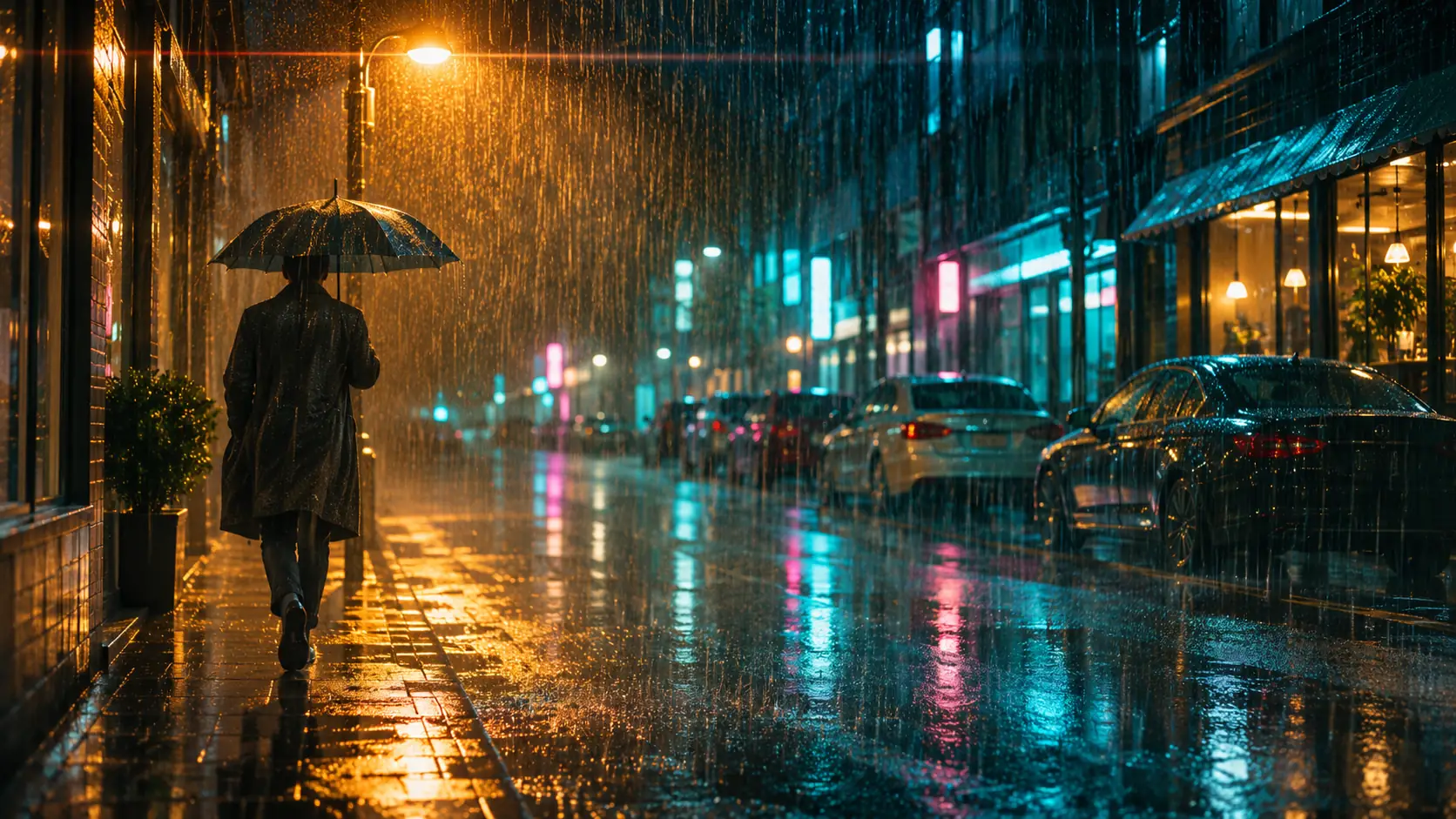
Rain is not a filter. It is a lighting event: water becomes visible only when it crosses a source, so a rainy frame works when the rain is backlit, side-lit or passing through a practical lamp. The second ingredient is the wet world after the water lands — asphalt, glass, metal and fabric all change how they reflect the same light.
A cinematic rain frame usually has three layers: falling water, wet surfaces and atmosphere. The falling water gives movement, the wet surfaces give reflection, and the haze or spray gives depth. A frame with rain but dry pavement reads as a composite; a frame with wet pavement but no rain reads as a different story.
The location guide covers streets that already have depth for rain. Use the lighting cheat sheet to choose the source that will make the rain visible, and the night portrait guide when the subject is the face rather than the street.
How do you describe rain density?
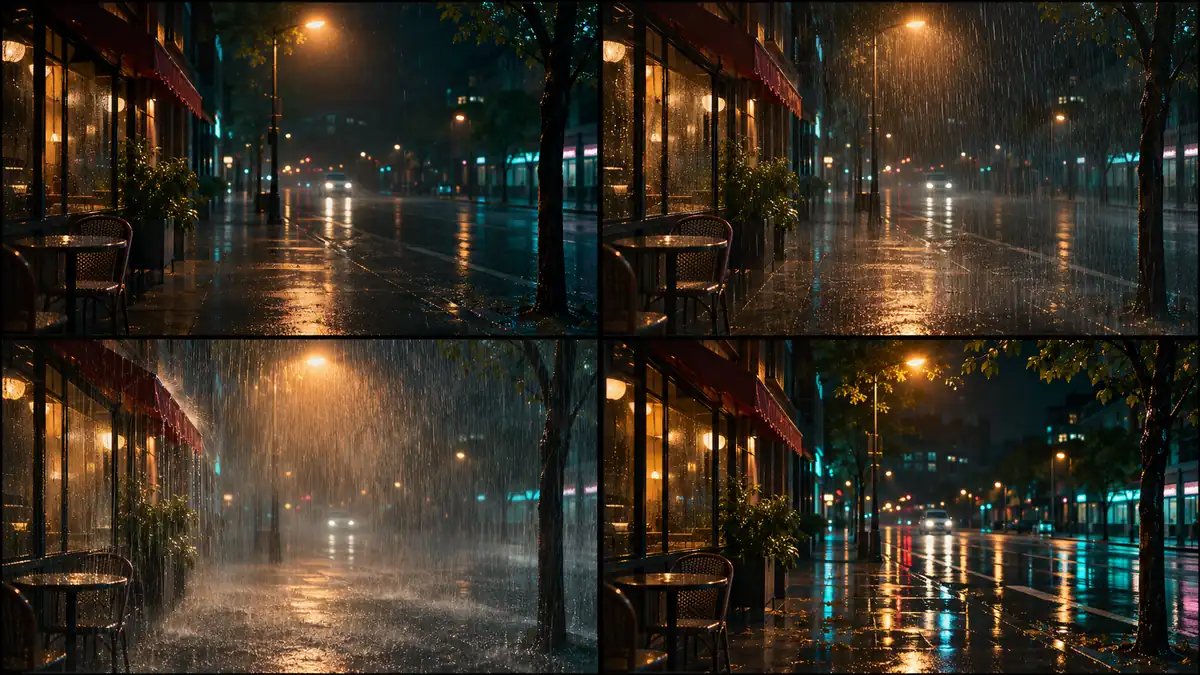
Rain has a density, a direction and a shutter signature. Drizzle leaves faint streaks and a mostly readable background. Steady rain gives visible streaks against light but keeps the far side of the street legible. A downpour fills the frame with water, bounces off the ground and collapses the background. Post-rain is its own look: no falling water, but the strongest reflections.
Name the density instead of saying “rainy”. The model needs to know how much water is in the air, whether it is blowing sideways, and whether the ground is wet or flooding. Density also controls how much of the background survives, which is a composition decision as much as a weather one.
| Density | What it looks like | Best for |
|---|---|---|
| Drizzle | Faint streaks, soft air, background readable. | Romance, quiet streets, intimate dialogue. |
| Steady rain | Visible backlit streaks, wet ground, clear midground. | Noir, night streets, walking shots. |
| Downpour | Dense water, splashes, background mostly lost. | Crisis, chase, emotional breakdown. |
| Wind-driven rain | Diagonal streaks, water hitting one side of the subject. | Exposure, arrival, unstoppable weather. |
| Post-rain | No falling water, mirror-like pavement, clean air. | Aftermath, reflection-led frames, quiet tension. |
| Rain on glass | Droplets and smears between camera and subject. | Car interiors, windows, voyeuristic frames. |
Where should the light come from?
Backlight is the default because it turns water into bright streaks. Put a streetlamp, neon sign or car headlight behind the rain and the drops become visible lines. Side light gives the water a direction and keeps part of the street readable. Front light flattens the rain and usually produces a gray haze instead of streaks.
If the frame is at night, use one dominant practical source and let the wet ground carry its reflection. If the frame is daytime, an overcast sky gives soft rain but no visible streaks; add a darker background and a brighter subject to keep separation. The rain still needs contrast to read.
- One dominant backlight or side light.
- A practical source inside or just outside the frame.
- A darker background behind the rain.
- Wet ground to catch the source.
- Avoid front light that flattens the streaks.
- Keep one bright edge on the subject.
How do you make wet streets and reflections work?
Reflections need sources, not just water. A wet street with no lights becomes a dark gray surface. A wet street under sodium lamps, neon signs or headlights becomes a second composition: long vertical streaks, broken highlights and color carried across the pavement.
Keep the reflection consistent with the source. A red sign on the left should produce a red smear on the left, not a symmetric mirror image. Ask for “broken reflections in wet asphalt” rather than “perfect mirror”, and keep some texture in the ground so the surface still reads as pavement.
- Name the light sources that will reflect.
- Use broken, stretched highlights, not a perfect mirror.
- Keep pavement texture visible.
- Match reflection color and position to the source.
- Add puddles for stronger shapes and contrast.
- Let the reflection lead the eye toward the subject.
Day rain versus night rain: which palette?
Day rain is soft and low-contrast: gray sky, cool light, wet greens and muted clothing. The rain is visible mostly against dark backgrounds. Night rain is high-contrast: hard sources, saturated reflections, deep blacks and one or two accent colors. The two looks need different prompt vocabularies.
A common mistake is asking for “rainy night” with a bright blue sky. Another is lighting a night rain scene with a flat frontal source, which removes the streaks and the reflections at the same time. Pick day or night, then commit to the source logic.
| Mode | Sky and ambient | Sources | Palette |
|---|---|---|---|
| Day rain | Overcast gray, soft ambient, low contrast. | Window light, storefronts, car headlights. | Cool gray, wet green, muted earth. |
| Dusk rain | Blue hour ambient with warm practicals. | Streetlamps just turning on, shop windows. | Blue-gray plus sodium amber. |
| Night rain | Dark ambient, deep shadows, high contrast. | Sodium lamps, neon, headlights. | Black, sodium amber, one neon accent. |
| Neon rain | Colored ambient from signs and screens. | Multiple neon sources, wet reflections. | Magenta, cyan, deep blue, black. |
| Storm rain | Near-black sky, hard wind, flashing light. | Lightning, vehicle lights, emergency strobes. | Cold white, slate, one warning red. |
How do you keep rain consistent across a sequence?
Fix the density, wind direction, light sources and wetness level, then change only the subject and the framing. Rain that falls straight down in one frame and sideways in the next breaks continuity faster than a wardrobe change. Reflections should also stay anchored to the same sources.
Review the set as a contact sheet at thumbnail size. Keep the palette with Palette Lock and the location with location consistency. The storyboard-to-video workflow is the place to decide how the weather changes between shots.
Which six rain scenes should you brief?
Six briefs cover the useful range: the backlit street walk, the neon alley, the car window, the doorway shelter, the post-rain crossing and the downpour confrontation. Each one uses a different density and a different relationship between the water and the light.
| Scene | Rain | Light | Prompt anchor |
|---|---|---|---|
| Backlit street walk | Steady rain. | One sodium lamp behind the subject. | Figure walking away under a streetlamp, bright rain streaks, wet asphalt. |
| Neon alley | Drizzle to steady. | Magenta and cyan signs, no ambient fill. | Narrow alley, colored reflections, rain visible against neon. |
| Car window | Rain on glass. | Dashboard glow and passing streetlights. | Droplets on the window, face behind glass, city lights smeared. |
| Doorway shelter | Downpour outside. | Warm interior practical behind the subject. | Figure in a doorway, dense rain beyond, warm rim from inside. |
| Post-rain crossing | No falling water. | Streetlamps and shop windows. | Mirror-like crosswalk, long reflections, clean wet air. |
| Downpour confrontation | Heavy wind-driven rain. | Headlights or a single hard source. | Two figures facing each other, diagonal rain, backlit spray. |
What are common cinematic rain mistakes?
The first mistake is rain with no light source, which produces gray noise instead of streaks. The second is dry pavement under falling rain. The third is a perfect mirror reflection with no texture. The fourth is rain that changes direction between frames.
The fifth is using “rainy” as the only weather word, which leaves density and background legibility to chance. The sixth is a palette that mixes daylight blue with nighttime neon. Pick the mode, the density and the source before adding mood words.
- Rain with no backlight or side light.
- Falling rain over dry pavement.
- Perfect mirror reflections with no pavement texture.
- Wind direction changing between frames.
- “Rainy” with no density or source.
- Daylight sky mixed with night neon.
Frequently asked
How do I write a cinematic rain prompt?
Name the rain density, the light source that makes it visible, the wet surfaces and the palette. For example: “steady backlit rain under a sodium streetlamp, wet asphalt with broken reflections, lone figure walking away, deep blue and amber.”
Why does my AI rain look like gray noise?
The rain probably has no backlight or side light. Water reads against a source, so put a streetlamp, neon sign or headlight behind the rain and keep the background darker than the streaks.
How do I get wet street reflections in an AI image?
Name the sources that should reflect, ask for broken stretched highlights in wet asphalt, and keep some pavement texture. Avoid “perfect mirror” unless you want a surreal, flooded look.
Should a cinematic rain scene be day or night?
Night is easier because hard practicals make rain and reflections visible. Day rain works with an overcast sky, a darker background and soft low-contrast light, but the streaks will be subtler.
How do I keep rain consistent across a sequence?
Fix the density, wind direction, light sources and wetness level in the prompt, then change only the subject and framing. Check the set as a contact sheet before rendering more frames.
Does Soul Cinema animate the rain?
No. Soul Cinema renders stills and keyframes. Rain motion, timing and sound are added in a video workflow; the still establishes the density, light and continuity the later shots must match.
Your first cinematic frame is one prompt away
Sign in with Google, pick a plan and keep every still at the resolution the model produced. Plans from $12/month, cancel at any time. No watermark, no re-encode.