
Soul Cinema vs Nano Banana Pro
The Pro generation brought higher fidelity to a general model. What that changes for film stills — and where texture, locks and re-render discipline still decide the frame.
What the Pro generation changes
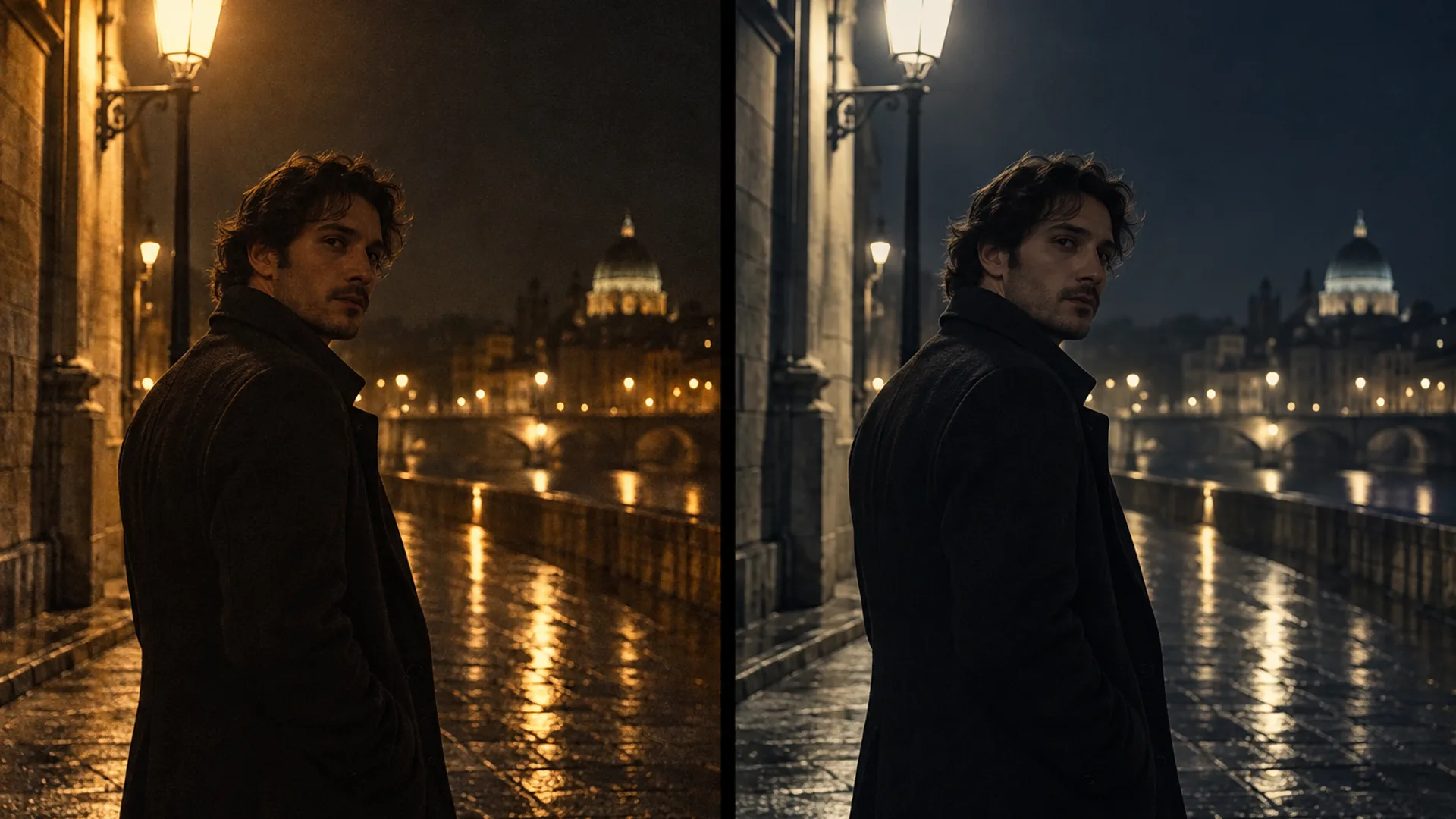
Nano Banana began as the nickname for Google’s Gemini image model — a general model built for range: fast renders, unusual instructions, conversational edits. The Pro tier arrived later with higher fidelity: cleaner detail, steadier handling of complicated scenes, and more reliable text inside the image. The base comparison on this site covers the general trade-offs (Soul Cinema vs Nano Banana); this page is about what the higher-fidelity generation changes when the deliverable is a film still.
The short answer: Pro widens what a general model can render — it does not change what the general model is. There is still no persistent cast and no stock language, so a sequence still re-samples the person and the texture frame by frame. The long answer is the rest of this page.
Texture and light: where the difference shows first
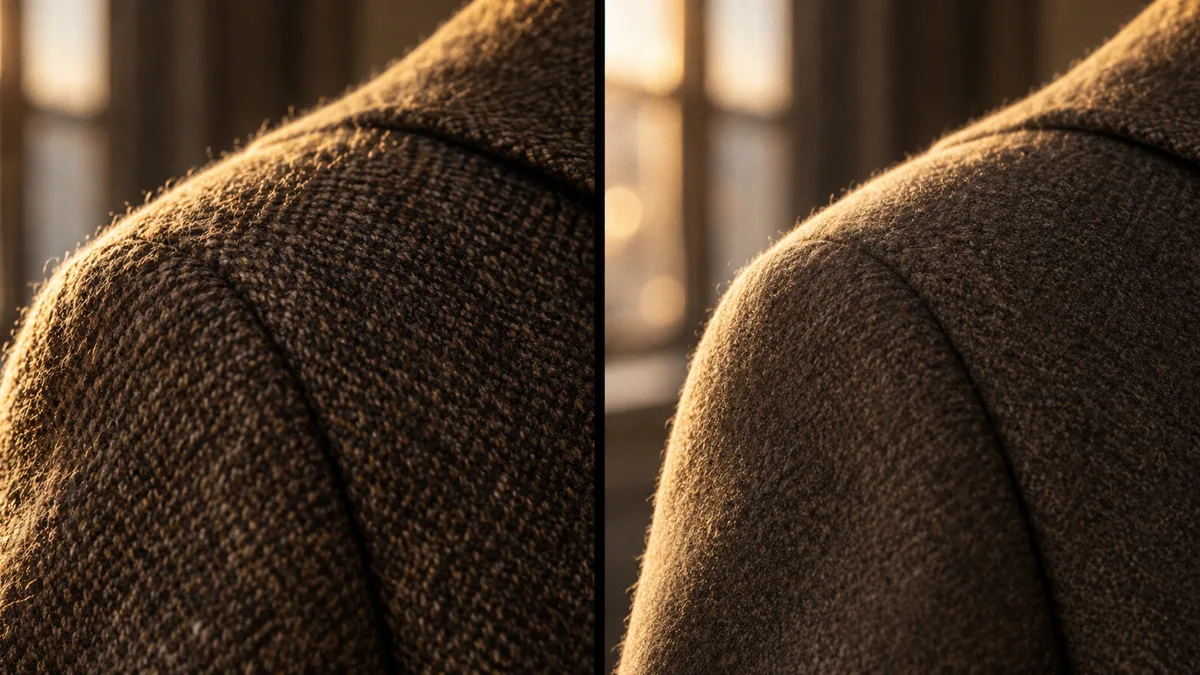
Zoom into either render and the tuning shows. Pro-tier output is clean and high-fidelity — smooth gradients, crisp detail, sharp edges. Soul Cinema spends the same pixels differently: grain sits in the shadows, practicals carry a little halation, highlights roll off instead of clipping. One is a very good image; the other is a frame that reads as shot. Film grain covers what the texture is actually doing in a still.
This is a preference until your deliverable sits next to a photograph. Then the clean render starts to read as an illustration, and texture becomes the whole job.
Consistency: one still against a sequence
A single still flatters every model — the hard part is the second frame. For a one-off follow-up edit, a Pro-tier render working from a reference image is usually close enough. For a sequence, close enough is the problem: without a persistent reference, each generation re-samples the person, and across six frames the face drifts. The failure mode is mapped in AI character consistency.
Soul Cinema locks the variables instead. Soul ID holds one face and wardrobe reference across up to six frames; palette lock holds the colour; and the character contract itself is reusable as a cast.
Resolution, cost and the workflow around the render
Soul Cinema prices by output tier — 1 credit at 2K, 2 at 4K, 4 at 8K, failed frames refunded — and the plan arithmetic lives on the pricing page. Pro-tier rendering is priced through Google’s own plans and API rates, and those change; model a budget from the current numbers rather than from a screenshot.
Whatever the list prices say, compare cost per usable frame. A cheaper render that needs four attempts to hold one light plan costs more than the pricier one that lands it on the second try — and a frame that cannot be re-rendered at 8K without changing costs the most of all.

How to choose — and when to use both
Neither model is a mistake; they are tuned for different halves of the work:
- One-off frame, editing-led workflow, unusual styles or text inside the image → the general model; the Pro tier when you need its extra fidelity.
- A frame that must match a light plan, a stock and the frames next to it → Soul Cinema.
- Exploration first, keepers second → board in the general model, then re-render the cuts in the console against the locked cast and palette (see prompt examples for briefs that re-render cleanly).
Frequently asked
Is Nano Banana Pro better than Soul Cinema?
They are tuned for different jobs. The Pro tier adds fidelity to a general model — range, complex scenes, text, edits. Soul Cinema is tuned for one job: a still that reads as shot, with locks that hold a cast and a palette across a sequence. Judge by the deliverable, not the leaderboard.
Does the higher fidelity fix character consistency?
Fidelity per image is a different problem from consistency across images. A reference-driven render can look excellent and still re-sample the person on the next generation; a locked reference is what removes the re-sampling. That mechanism is Soul ID, and the drift it prevents is explained in AI character consistency.
Can I render film grain in Nano Banana Pro?
You can describe grain in a prompt and the model will approximate it within that image. The difference is that in Soul Cinema grain is a stock decision inside the brief — fine, medium or coarse, kept constant across frames and re-renders — rather than a phrase re-described every time. Film grain in AI stills walks through the distinction.
Which one should I use for print?
Soul Cinema renders natively up to 4K and delivers 8K as an AI upscale from the 4K render, with the metadata recording both sizes — a 4K frame holds a magazine double-page. The Pro tier’s output sizes are the ones Google publishes for the current model.
Is this the same comparison as Soul Cinema vs Nano Banana?
Related but not the same. The earlier page covers the base model and the general trade-offs of general-purpose versus tuned rendering; this page follows the Pro generation and what higher fidelity changes for stills work. Both pages agree on the deciding factors: texture, locks, and cost per usable frame.
Your first cinematic frame is one prompt away
Sign in with Google, pick a plan and keep every still at the resolution the model produced. Plans from $12/month, cancel at any time. No watermark, no re-encode.