
Higgsfield Soul Cast: AI actors you can reuse
A cast is the actor, not the shot — the character defined once, in five lines, and reused across scenes, sequences and re-renders.

What is Soul Cast?
A cast is the actor, not the shot. Soul Cast is the part of the workflow where the actor is defined once — the era they belong to, the archetype they play, how they are built, and what they wear — so every frame afterwards is rendered with the same person in it rather than a new face that is close enough.
It is the layer above Soul ID: casting decides who exists, and the lock decides how that person survives a change of camera. Without a defined cast there is nothing to hold, which is why an unlocked sequence drifts even when every prompt line is identical.
Casts live in the cast library of your account, so an actor built for one project can be called back for the next one.
Casting a character: the five decisions
A cast is written once and reused, so it should read like a contract, not a mood. Five lines cover everything the model needs in order to keep a person recognisable between frames:
- Era and world — the decade and genre the character belongs to, which settles hair, fabric and texture before anything else is decided.
- Role and archetype — detective, courier, heiress, dockworker: the part shapes posture and silhouette more than any adjective.
- Physical description — age range, build and two or three defining features; keep the list short so it stays stable.
- Wardrobe — one outfit described with colour values instead of adjectives. A coat described only as “dark” is a different coat on every render.
- Presence — how the character holds a frame: still, watchful, mid-motion. It is a direction, not a costume.
Cast, Soul ID and palette lock: who does what
Three controls solve three different drifts, and most sequence frustration comes from mixing them up:
- Soul Cast defines the actor — who the person is before any camera decision is made.
- Soul ID holds the actor — the same face, hair and wardrobe across a sequence of up to six frames.
- Palette lock holds the colour — the requested hex values survive a change of lighting and a change of size.
One scene, several casts
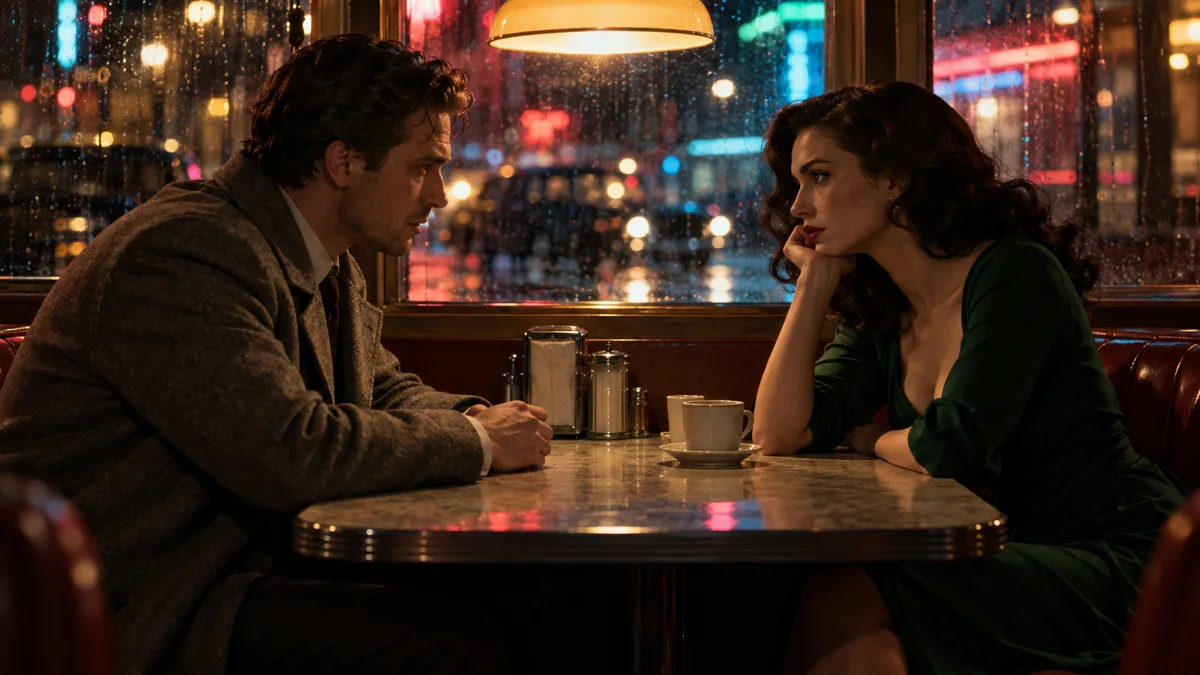
A dialogue needs two actors, and a crowd scene needs more. Multi-cast frames follow the same rules with one addition — contrast the silhouettes before you style the light. Two coats in the same value read as a single shape from any distance, so cast the pair against each other: tall against short, dark against light, still against moving.
The single-cast discipline still applies per actor: one wardrobe line each, kept verbatim, and a reference frame that reads as the character under flat light.
How does a cast survive a whole project?
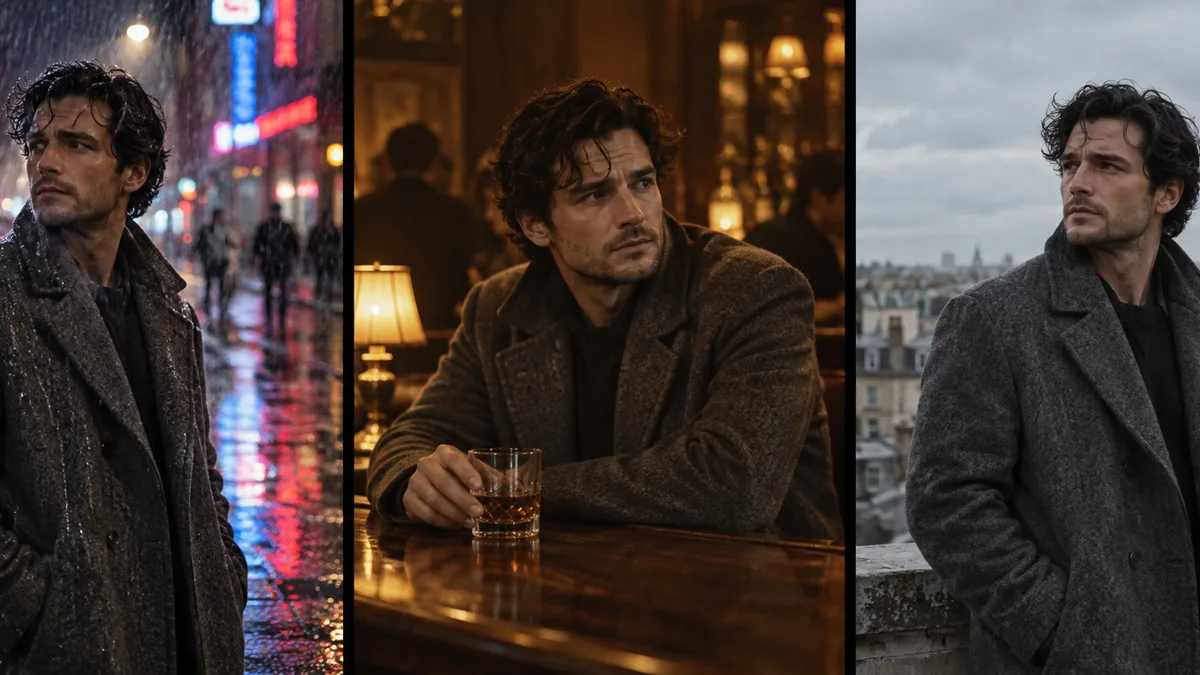
A cast is only as good as its reuse. Three habits keep an actor recognisable from the first look test to the final export:
- Establish the cast on a plain reference frame — flat light, mid-shot, no palette accent — and keep that frame as the source of truth.
- Copy the cast lines verbatim into every brief; re-describing the same person from memory is how a jawline drifts.
- Change one camera line per frame — framing, angle or blocking — so identity stays the constant and the shot does the work.
Where does casting sit in the workflow?
Casting comes first, before the look test. Prove the character on a reference frame; then prove light and palette on a single styled frame; then lock the cast and board the sequence.
Renders are charged by output size — 2K costs 1 credit, 4K costs 2 and 8K costs 4, with failed frames refunded — so a six-frame sequence at 2K is six credits. Soul Cinema pricing lists the credit volume per plan.
Basic locks one cast at a time; Pro and Max remove the cast limit, and Max adds batch sequences, so multi-cast scenes stay in a single pass.
Frequently asked
Is Soul Cast the same as Soul ID?
No. Soul Cast defines the actor — the character contract you write once and reuse. Soul ID is the lock that holds that actor consistent across up to six frames. Casting without the lock still drifts; the lock without a cast has nothing to hold.
Can two casts share one scene?
Yes — a two-hander locks two casts for the run. Basic includes Soul ID on one cast at a time, while Pro and Max remove that limit, so multi-cast scenes render in a single pass.
Do I need a cast if I only render single frames?
It pays off the moment a frame is re-run. A fixed cast line makes re-renders at a new size or angle return the same person, and a cast in the library turns a one-off frame into a character you can bring back on the next brief.
How do I stop a cast drifting between projects?
Keep the cast lines verbatim and reuse the original reference frame, not the words alone — the picture is the reference the model reads; the description only labels it.
Can I sell frames that use a cast?
You keep the rights to the frames you render, provided you hold the rights to the people and material you describe. Commercial use for client work is covered by the Max plan’s licence.
Your first cinematic frame is one prompt away
Sign in with Google, pick a plan and keep every still at the resolution the model produced. Plans from $12/month, cancel at any time. No watermark, no re-encode.