
Cinematic lens flare
An optical flare workflow: one motivated source, one artifact type and a protected contrast anchor, with six scene briefs and a sequence test.
What makes lens flare cinematic?
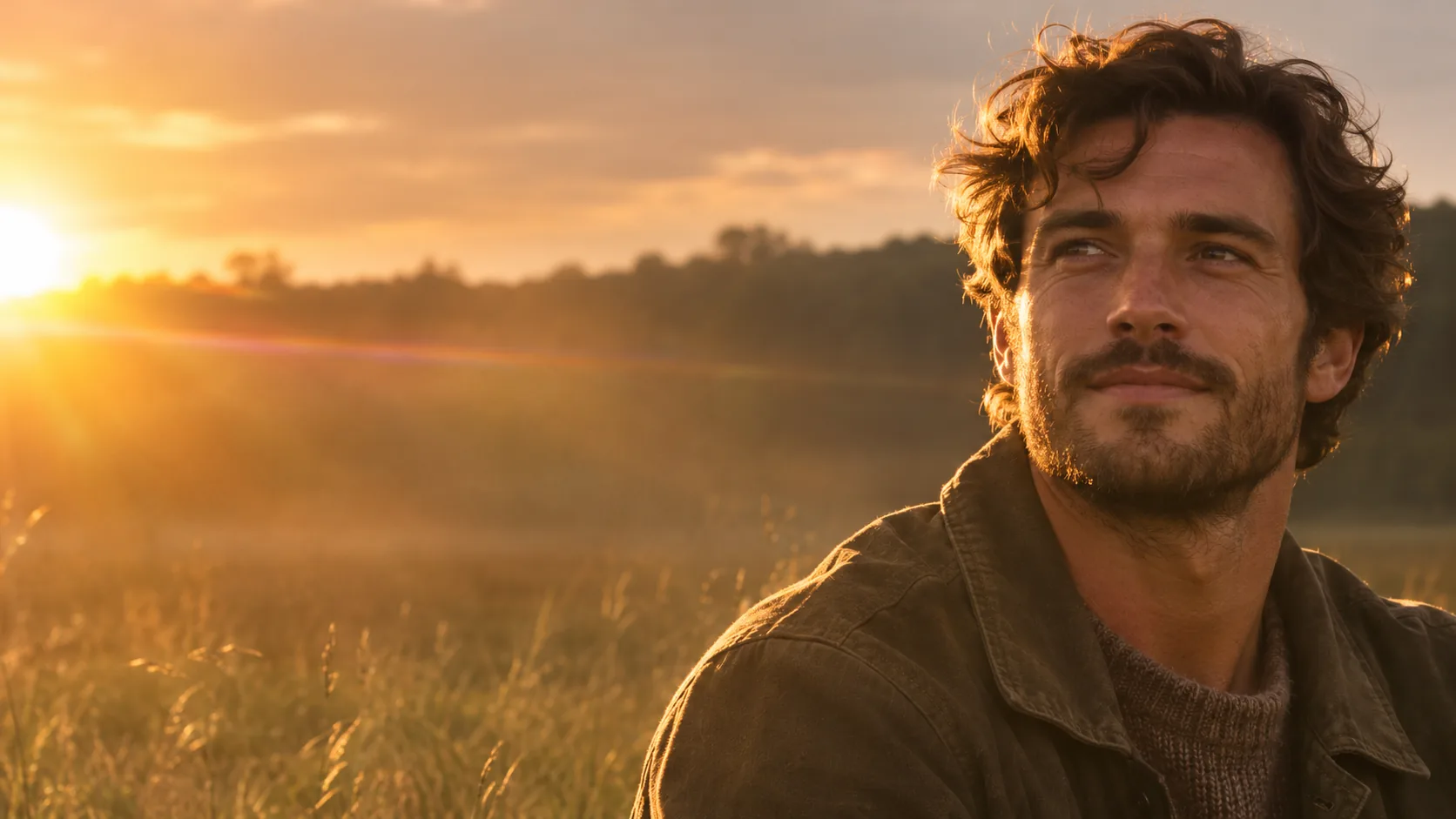
Lens flare is what happens when light scatters inside a lens. It is an optical event with a source, not a graphic overlay. A convincing flare starts at a bright point — the sun, a streetlamp, a window — and produces a streak, a veil or a ghost that behaves like light.
The cinematic version is controlled. A subtle flare at the frame edge adds atmosphere and depth; a flare across the face destroys contrast and skin. The source, the position and the strength decide whether the frame feels photographed or filtered.
The anamorphic guide covers oval bokeh and horizontal streaks; the lighting guide covers the source. This page covers flare as an optical artifact.
Which flare type should you prompt?
There are five useful flare types: veiling glare, anamorphic streak, ghosting rings, aperture-blade shapes and a soft haze glow. Each one comes from a different optical behavior. Pick one per frame and give it a source.
Veiling glare lowers contrast across the frame. An anamorphic streak is a horizontal line from a bright source. Ghosting produces colored rings or polygons. Aperture blades create polygonal highlights. Haze glow is a soft wash around the source.
| Type | Look | Source | Best for |
|---|---|---|---|
| Veiling glare | Low contrast, soft wash. | Sun or window at the edge. | Romance, memory, backlit portrait. |
| Anamorphic streak | Long horizontal line. | Streetlamp, headlight, sun. | Night street, sci-fi, neon. |
| Ghosting | Colored rings or polygons. | Bright point source. | Music, dream, optical realism. |
| Aperture blades | Polygonal highlights. | Small bright source, stopped-down lens. | Product, night detail. |
| Haze glow | Soft halo around the source. | Sun through haze or smoke. | Golden hour, atmosphere. |
| Light leak | Warm edge wash. | Film camera light leak. | Analog, memory, transition. |
How do you write the flare prompt?
Name the source, the position and the strength. “Low sun at the left edge of the frame, a subtle horizontal flare crossing the upper third, face shaded and sharp” gives the model a source, a placement and a limit. “Lens flare” alone produces a random overlay.
Keep the flare away from the eyes and the skin. If the source is behind the subject, put the flare at the frame edge or in the negative space. If the source is in front, use it as a rim or a backlight, not as a wash across the face.
- Name the source: sun, lamp, window, headlight.
- Name the position: left edge, upper third.
- Name the strength: subtle, soft, controlled.
- Keep the face shaded and sharp.
- Use one flare type per frame.
- Avoid flare across the eyes.
How do you protect contrast?
Flare reduces contrast. A little veiling glare is beautiful; too much turns the frame into a gray haze. Protect one anchor: the face, the product, the silhouette, a dark foreground. The viewer needs something solid to read against the light.
If the flare washes out the subject, reduce it to a rim or move the source farther to the edge. The strongest cinematic flares are often mostly outside the frame, with only the artifact crossing the image.
| Problem | Cause | Fix |
|---|---|---|
| Washed-out face | Flare across the subject. | Move the source to the edge. |
| Gray, flat frame | Too much veiling glare. | Reduce the flare, add a dark foreground. |
| Overlay look | No source, full-frame streak. | Name one source and one artifact. |
| Muddy color | Flare plus haze plus grade. | Choose one atmospheric effect. |
| Distracting rings | Ghosting on every highlight. | One bright source only. |
| No depth | Flare with no foreground. | Add a dark anchor in the foreground. |
Which six flare scenes should you brief?
Six scenes cover the range: the backlit portrait, the night street, the car windshield, the window interior, the desert sun and the concert light. Each one uses a different flare type and a different source.
| Scene | Flare | Source | Prompt anchor |
|---|---|---|---|
| Backlit portrait | Veiling glare. | Low sun at the edge. | Face shaded and sharp, warm rim, soft wash. |
| Night street | Anamorphic streak. | Streetlamp. | Wet asphalt, long blue streak, oval bokeh. |
| Car windshield | Ghosting. | Headlights and dashboard. | Driver in profile, rings on the glass, night road. |
| Window interior | Haze glow. | Sun through a window. | Dust in the beam, soft halo, dark room. |
| Desert sun | Aperture blades. | Small stopped-down sun. | Polygonal highlights, hard shadow, wide landscape. |
| Concert light | Anamorphic streak. | Stage spot. | Silhouette, long streak, smoke, dark crowd. |
How do you keep flare consistent across a sequence?
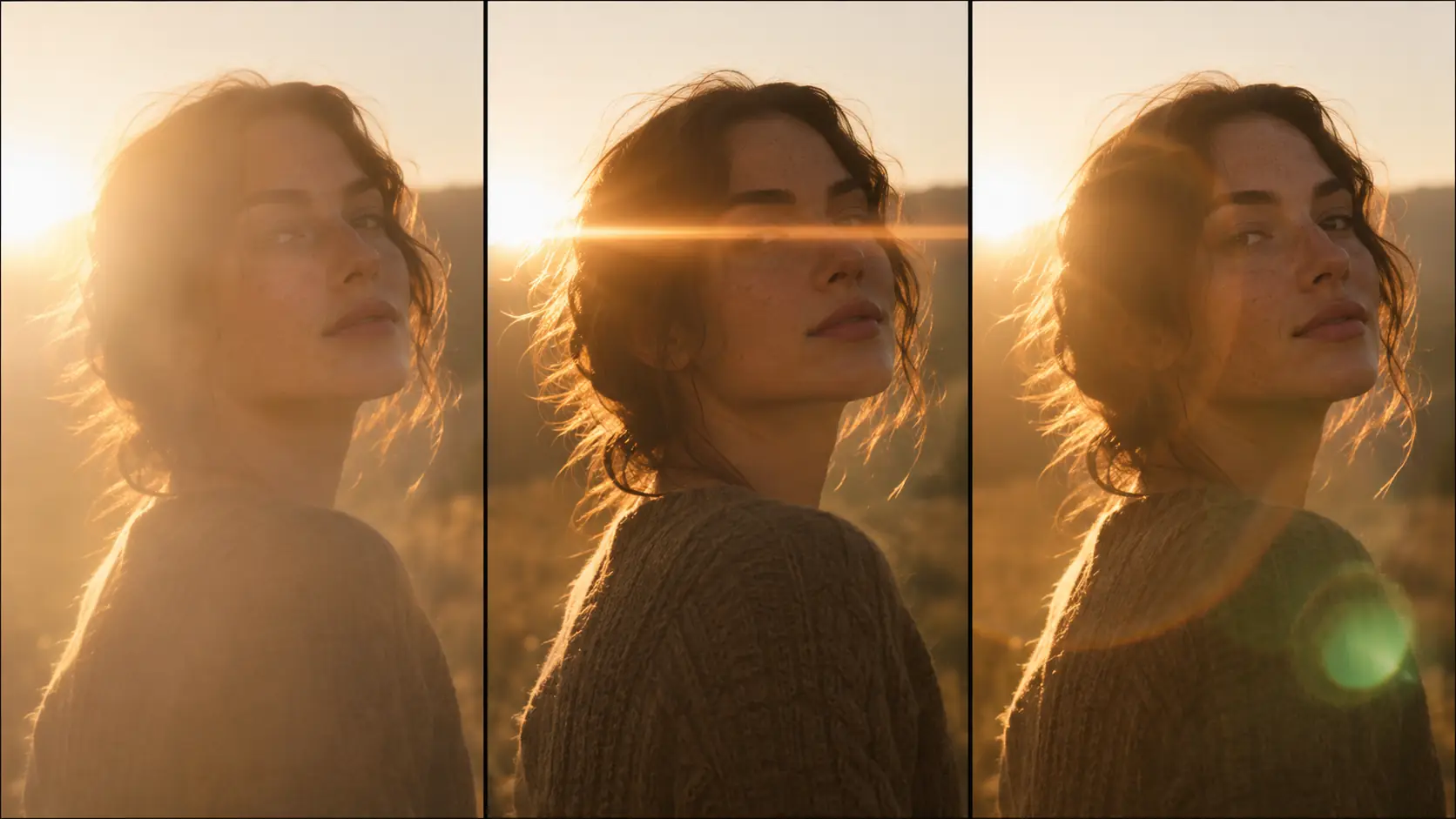
Fix the source position, the flare type and the contrast ratio. Change the subject and the framing, not the optics. If the sun moves from left to right between frames, the sequence loses its geography.
Review the set as a contact sheet and keep the palette with Palette Lock. The golden hour guide covers the sun position in more detail.
What are common lens flare AI mistakes?
The first mistake is a flare with no source. The second is a flare across the eyes. The third is every highlight producing a streak. The fourth is a full-frame overlay that looks like a filter. The fifth is flare plus haze plus bloom in the same frame.
The sixth is a flare that changes type between frames. Lens flare is an optical behavior; the sequence holds when the source and the artifact stay fixed.
- Flare with no source.
- Flare across the eyes or skin.
- Every highlight streaking.
- A full-frame overlay look.
- Flare plus haze plus bloom.
- A different flare type on every frame.
Frequently asked
How do I write a cinematic lens flare AI prompt?
Name one source, its position and the flare type. For example: “low sun at the left edge, subtle veiling glare across the upper frame, face shaded and sharp, 85mm, golden hour.”
How do I stop lens flare from washing out the face?
Move the source to the frame edge and keep the face shaded or bounced. Use the flare in the negative space, not across the eyes, and keep one dark anchor in the foreground.
What is the difference between veiling glare and ghosting?
Veiling glare is a soft wash that lowers contrast across the frame. Ghosting is a set of colored rings or polygons caused by internal reflections. Both need a bright source, but they look different.
Should every highlight have a flare?
No. One source and one artifact per frame is usually enough. Flares on every highlight look like a digital overlay rather than a lens.
Which lens produces the best flare?
It depends on the look: a wide-angle lens gives veiling glare and ghosting, an anamorphic lens gives horizontal streaks, and a stopped-down lens gives aperture-blade shapes. Name the lens and the artifact together.
Can Soul Cinema render realistic lens flare?
Yes. Soul Cinema responds to source, position and flare-type language. The result is an interpretation of an optical effect, not a simulation of a specific lens.
Your first cinematic frame is one prompt away
Sign in with Google, pick a plan and keep every still at the resolution the model produced. Plans from $12/month, cancel at any time. No watermark, no re-encode.