
Cinematic aspect ratio
A framing workflow for AI stills: choose 2.39, 1.85, 16:9, 4:3 or 9:16, compose inside the frame, protect safe areas and test every crop before delivery.
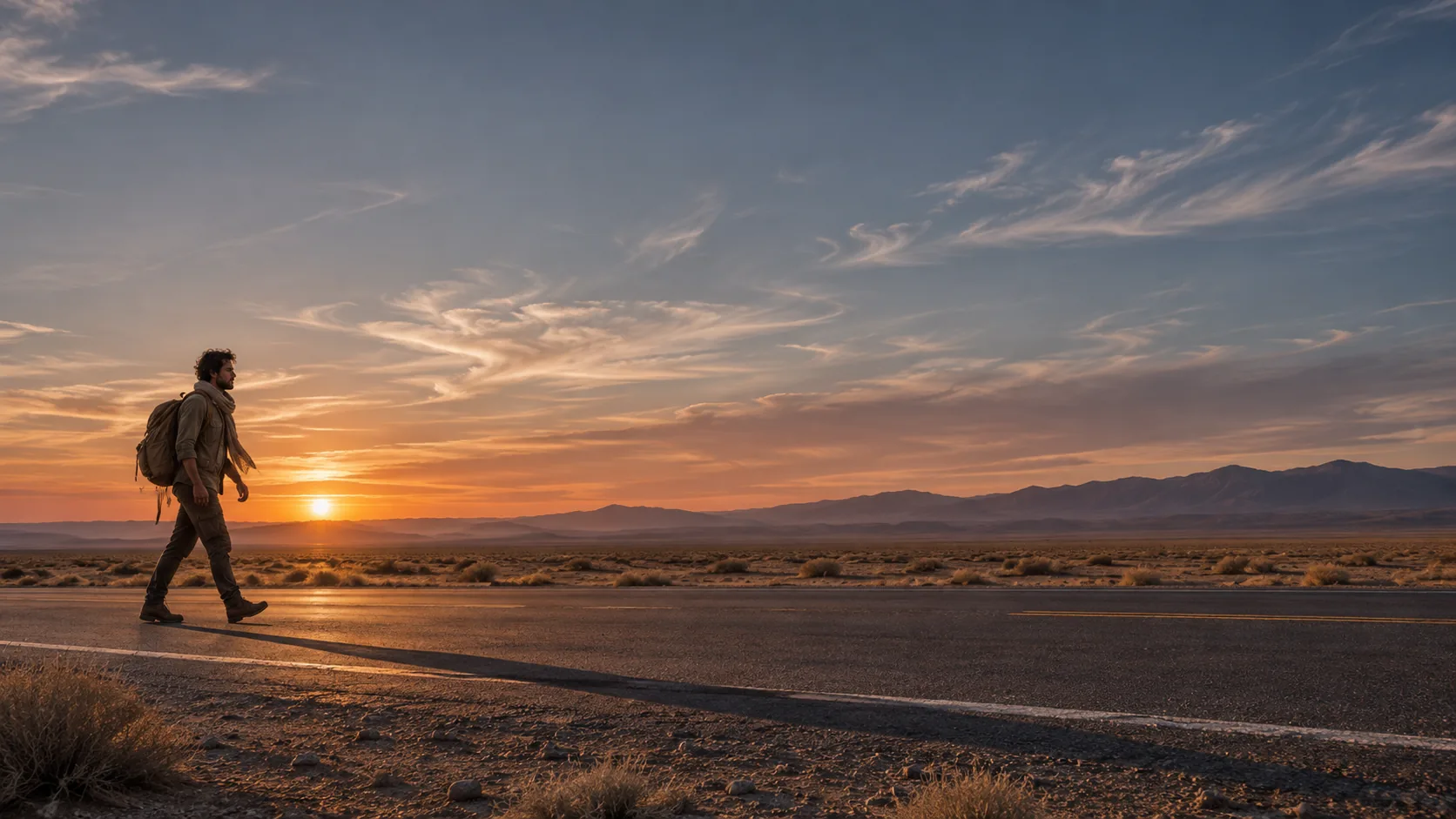
Which aspect ratio should you choose?
An aspect ratio is a framing decision, not a filter. A 2.39:1 frame spreads information sideways and makes a figure feel small against a landscape. A 4:3 frame compresses the world and pushes the face forward. A 9:16 frame is built for the phone, not for the cinema.
Choose the ratio before you write the prompt. The same subject, lens and light produce a different image at 2.39 and 4:3, because the frame decides how much of the world is allowed in. If the ratio changes later, the composition usually has to change with it.
The composition guide covers blocking and depth inside the frame. The depth of field guide covers lens and focus. This page covers the frame itself.
What does each ratio do?
The common cinematic ratios have distinct personalities. 2.39:1 is the widest mainstream scope and favors landscape, scale and lateral movement. 1.85:1 is the standard theatrical flat ratio and is more forgiving for faces and interiors. 16:9 is the default for screens, decks and video. 4:3 is intimate and archival. 9:16 is vertical and mobile-first.
Do not use a wide ratio just because it looks cinematic. A 2.39 frame with a single centered face and no landscape has empty sides. A 4:3 frame with a vast desert has no room for the horizon. Match the ratio to the information the shot needs.
| Ratio | Feel | Best for | Watch out for |
|---|---|---|---|
| 2.39:1 | Scope, landscape, isolation. | Wide vistas, roads, standoffs, scale. | Empty sides, small faces, weak verticals. |
| 2.00:1 | Modern streaming frame. | Ensemble scenes, balanced landscapes. | Less dramatic than 2.39, less standard than 16:9. |
| 1.85:1 | Theatrical, natural. | Interiors, dialogue, faces, general coverage. | Less epic, less phone-native. |
| 16:9 | Screen-native. | Decks, video, thumbnails, web. | Reads as television, not cinema. |
| 4:3 | Intimate, archival. | Portraits, period, claustrophobia. | No room for wide landscapes. |
| 9:16 | Mobile, close. | Reels, stories, vertical posters. | Hard to hold two subjects and a landscape. |
How does ratio change composition?
A wide frame is read left to right. Put the subject off-center and give the eye a second point of interest across the frame. A tall frame is read top to bottom; the subject sits lower and the space above becomes tension. A square frame is read as a single graphic shape.
Headroom changes with the ratio. In 2.39, the face often sits close to the top edge and the body occupies a narrow horizontal band. In 4:3, there is more vertical room, so the subject can sit lower with space above. Do not reuse the same framing for a different ratio.
- Wide: read left to right, use a second anchor.
- Tall: read top to bottom, use space above.
- Square: one graphic shape, strong center or thirds.
- 2.39: keep the face large enough to survive the crop.
- 4:3: use the vertical space deliberately.
- 9:16: protect the top and bottom for UI overlays.
How do you prompt the ratio?
Name the ratio explicitly and pair it with the lens and the composition. “2.39:1 anamorphic frame, 40mm lens, figure on the left third, road stretching to the right” gives the model three linked instructions. “Cinematic wide” gives it a mood word with no geometry.
Some models ignore ratio language and return a default 16:9 image. Check the output dimensions before judging the composition. If the model cannot render the ratio natively, generate the widest available frame and crop deliberately, keeping the subject away from the edges.
- Name the ratio as a number: 2.39:1, 1.85:1, 4:3.
- Pair the ratio with a lens and a subject position.
- Name what fills the extra width or height.
- Check the output dimensions before judging.
- If the model ignores the ratio, crop deliberately.
- Avoid “cinematic” as the only framing instruction.
What are safe areas and crop tests?
Every ratio will be cropped by a platform. A 2.39 frame becomes a 16:9 thumbnail, a 4:5 feed post, or a 9:16 story. Decide what must survive every crop: the face, the hands, the title area, the product. Keep those inside a central safe area.
Run the crop test before the final render. Put the image in the target frames and check that the subject is not cut at the chin, waist or wrist. If the image will carry a title, leave a quiet band that survives both the wide and the vertical crop.
| Delivery | Crop from 2.39 | Safe area |
|---|---|---|
| 16:9 thumbnail | Pillarbox or center crop. | Face and one anchor shape. |
| 4:5 feed post | Center crop, loses the sides. | Subject inside the central 50%. |
| 9:16 story | Vertical crop, loses most width. | Face and title in the central column. |
| 1:1 cover | Square center crop. | One dominant shape, no edge detail. |
| 2:3 poster | Vertical recomposition, not a crop. | Separate render with title-safe space. |
| Print spread | Wide trim with bleed. | Keep key detail away from the gutter. |
How do you deliver the same frame in several ratios?
The clean way is to render each ratio natively. The fast way is to render the widest ratio and crop. Native rendering preserves the composition; cropping preserves the moment but often loses the edges that made the frame work.
If the project needs multiple ratios, decide which one is primary. Render the primary first, approve the look, then render the alternate ratios as separate compositions rather than crops. A 9:16 version of a 2.39 landscape is a different shot, not a resize.
- Pick one primary ratio for approval.
- Render alternate ratios as separate compositions.
- Crop only when the subject sits inside the safe area.
- Do not upscale a cropped frame for print.
- Keep the same light and lens across ratios.
- Check every delivery at its actual size.
Which ratio for which format?
Film stills, pitch decks, posters, thumbnails and social posts all want different frames. Choose by the destination, then compose for it. The ratio should feel inevitable for the format, not applied afterward.
| Format | Ratio | Why |
|---|---|---|
| Film still / key art | 2.39:1 or 1.85:1 | Cinematic scope and theatrical convention. |
| Pitch deck slide | 16:9 | Matches the screen and the deck template. |
| Movie poster | 2:3 | Print convention and title space. |
| YouTube thumbnail | 16:9 | Platform-native, face readable at 320px. |
| Instagram post | 4:5 | Maximum feed area, portrait-friendly. |
| Story / Reel | 9:16 | Full-screen vertical, UI safe areas. |
| Album / podcast cover | 1:1 | Square icon, title-safe center. |
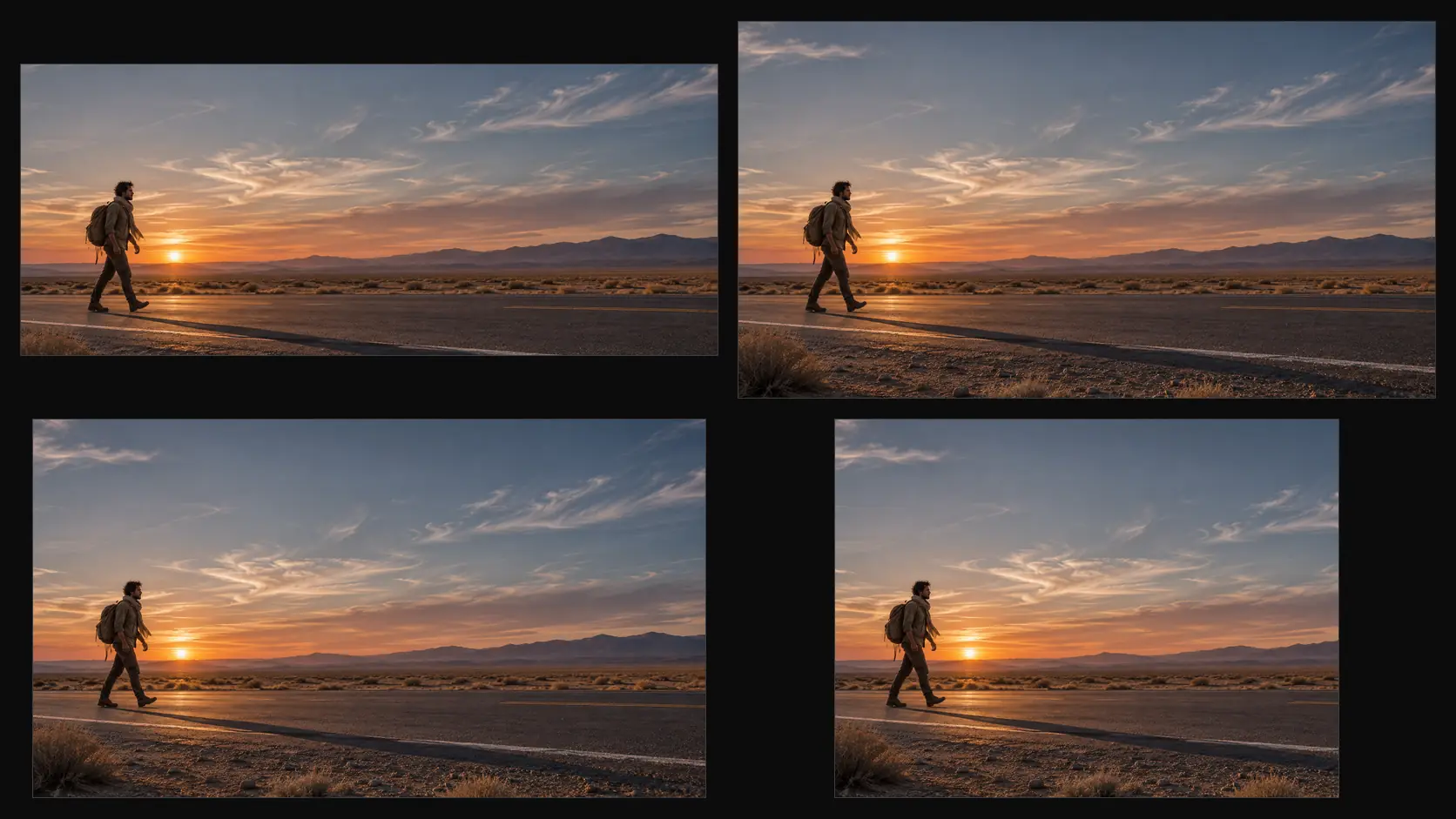
What are common aspect ratio mistakes?
The first mistake is adding black bars to a 16:9 image and calling it 2.39. The second is composing for 16:9 and cropping to 9:16 without checking the face. The third is using a wide ratio for a close-up with no lateral information.
The fourth is a different ratio on every image in a sequence. The fifth is upscaling a crop for print. The sixth is ignoring the platform safe area so the title or the eyes sit under the UI. Ratio is part of the composition, not a post step.
- Fake letterbox bars on a 16:9 render.
- Cropping to 9:16 without a safe-area check.
- A wide ratio with no lateral information.
- Mixed ratios in one sequence.
- Upscaling a crop for print.
- Ignoring platform UI safe areas.
Frequently asked
What is the most cinematic aspect ratio?
2.39:1 is the widest common cinematic ratio and suits landscapes, scale and lateral movement. 1.85:1 is the standard theatrical flat ratio and is more forgiving for faces and interiors. The most cinematic ratio is the one that fits the shot.
How do I prompt a specific aspect ratio in AI?
Name the ratio as a number, pair it with a lens and a subject position, and say what fills the extra width or height. For example: “2.39:1 anamorphic frame, 40mm lens, figure on the left third, road stretching right.”
Why does my AI image ignore the aspect ratio?
Some models only support a fixed set of output sizes and crop or pad to the nearest one. Check the output dimensions, then either render the widest available frame and crop deliberately, or compose the alternate ratio as a separate image.
What is the difference between 2.39:1 and 16:9?
2.39:1 is wider and more horizontal, with more room for landscape and lateral composition. 16:9 is the standard screen ratio for video, decks and thumbnails. A 2.39 frame usually loses its sides when cropped to 16:9.
How do I make one image work for multiple ratios?
Compose with a central safe area and render the primary ratio natively. For the other ratios, render separate compositions rather than cropping, unless the subject sits safely inside the crop. Test every delivery at its actual size.
Does Soul Cinema support different aspect ratios?
The console renders the ratio and size available for the selected output. Choose the ratio that matches the final placement, and check the returned dimensions before judging the composition.
Your first cinematic frame is one prompt away
Sign in with Google, pick a plan and keep every still at the resolution the model produced. Plans from $12/month, cancel at any time. No watermark, no re-encode.