
AI film mood board
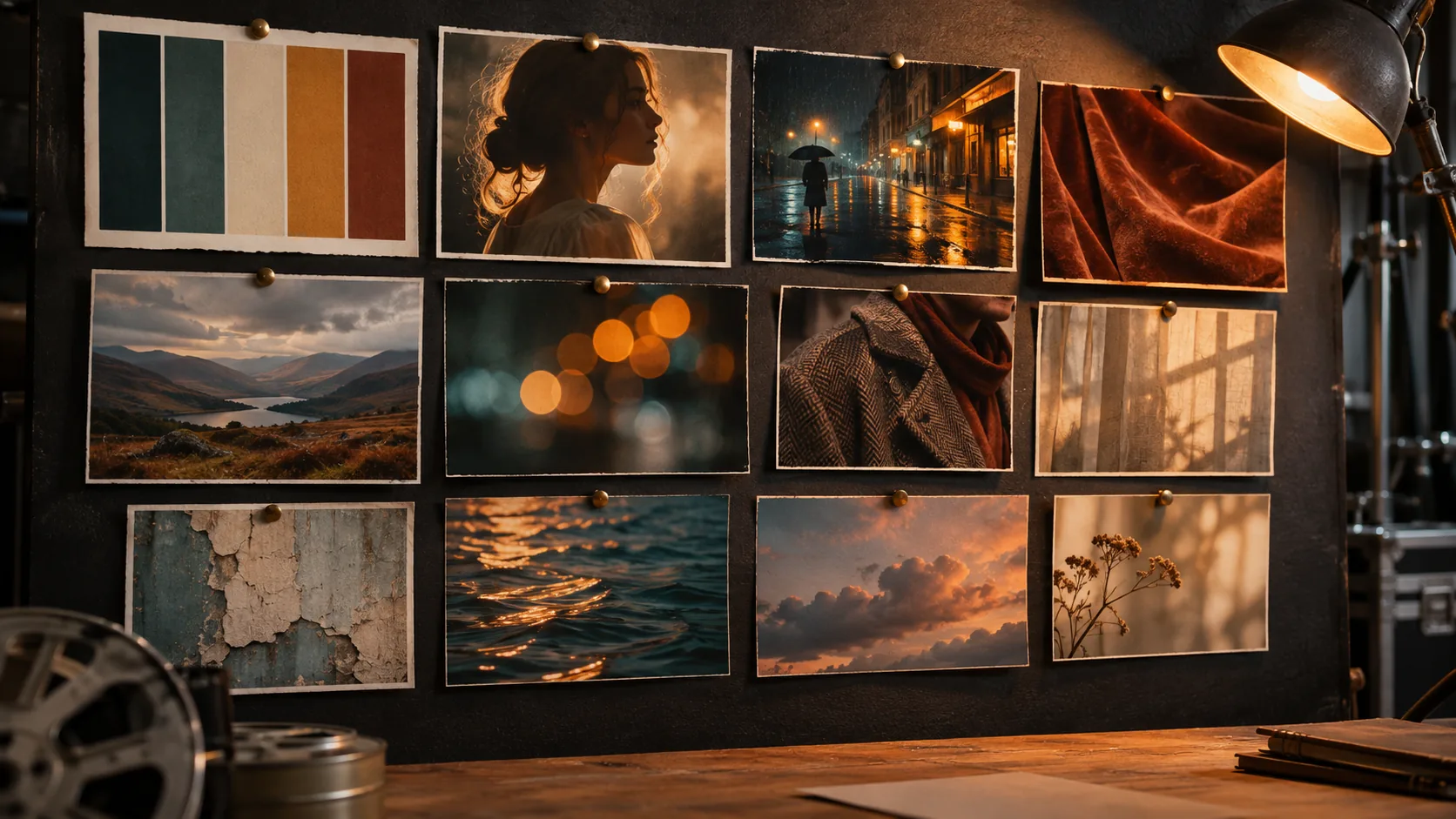
A 12-cell look-development workflow: palette, light, texture, location, portrait and lens references, then one five-line prompt block that carries the board into generation.
What is a film mood board for?
A mood board is a decision document. It fixes the palette, the light, the textures and the emotional temperature before anyone renders a frame. The board is not a collection of things you like; it is a set of references that answer specific questions about the film.
Keep the board and the lookbook separate. The mood board is the raw argument — twelve to twenty-five references with a stated purpose each. The lookbook is the polished version with the final palette, wardrobe and locations. The storyboard comes later and explains shot order.
The film treatment turns the board into written visual rules. The pitch deck workflow turns those rules into investor-facing stills.
Which 12 cells should the board have?
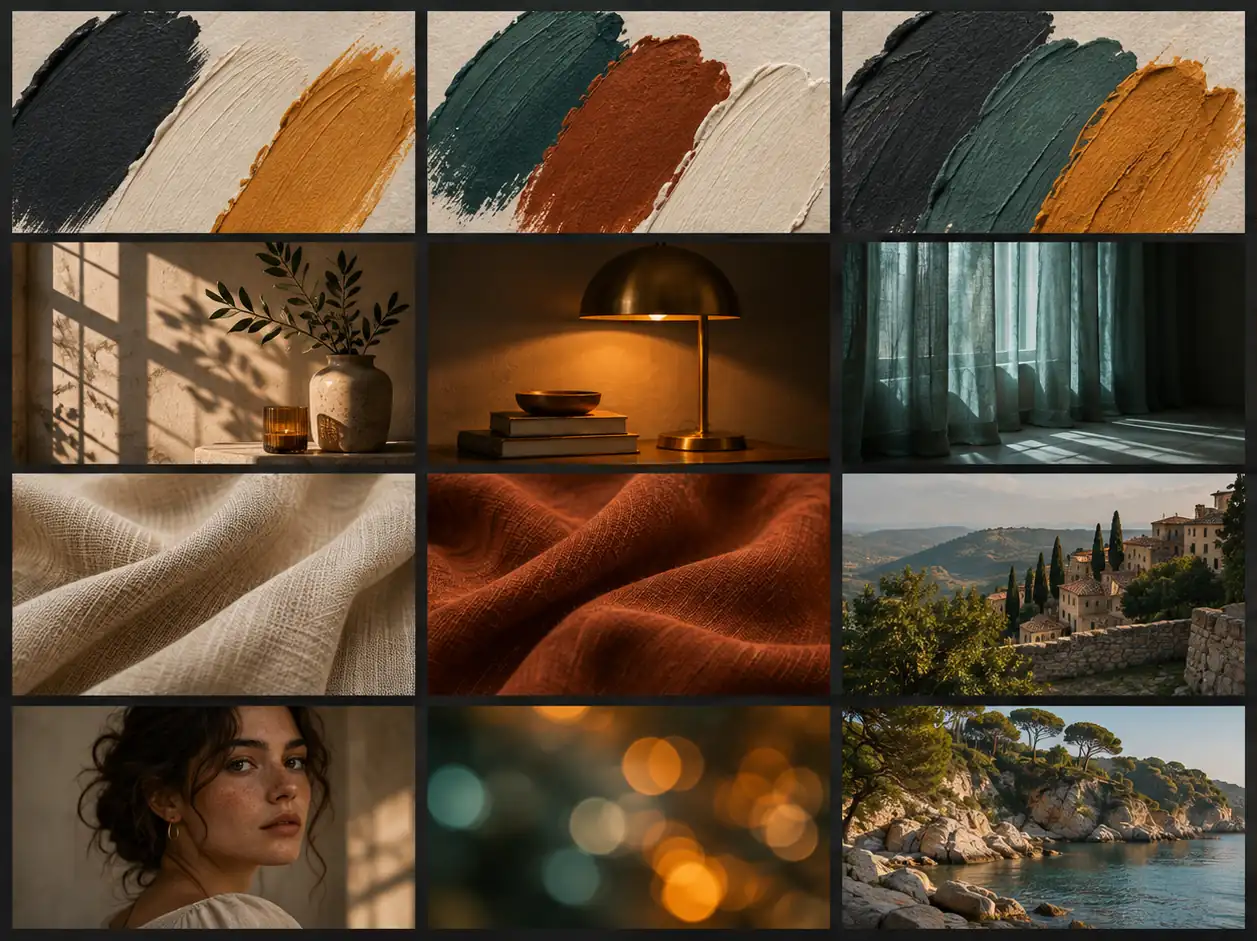
A useful board has twelve cells: three palette studies, three lighting stills, two texture studies, two locations, one portrait and one lens or bokeh study. Twelve is enough to make the look specific and small enough to hold in your head.
Every cell should have a job. A palette cell answers “what colors”; a lighting cell answers “where does the light come from”; a texture cell answers “what does the world feel like”; a location cell answers “where are we”. If a reference does not answer a question, cut it.
| Cell group | Count | What it fixes | Example |
|---|---|---|---|
| Palette | 3 | Dominant, accent and shadow color. | Sodium amber, deep teal, wet black. |
| Lighting | 3 | Source, direction and contrast. | Hard side key, backlit haze, practical pool. |
| Texture | 2 | Surface and film response. | Wet asphalt, coarse wool, 35mm grain. |
| Location | 2 | The world and its scale. | Empty highway, narrow night street. |
| Portrait | 1 | The face and the skin treatment. | Natural texture, no beauty retouch. |
| Lens / bokeh | 1 | Depth and perspective. | 85mm compression, oval highlights. |
How do you sample and lock the palette?
Pull five to seven colors from the references, not from a generic palette generator. Name them by job: dominant, secondary, accent, shadow, skin. A board with twelve equally weighted colors has no palette; it has a paint set.
Sample hex values from the actual images and keep them in the board notes. When you move to generation, pin the values with Palette Lock so a re-render does not drift. The board shows the relationship; the hex values make it reproducible.
Use Palette Lock for the accent and Soul HEX when a client supplies exact brand colors. The color grading guide covers how the palette survives the grade.
How do you turn the board into a prompt?
Compress the board into a five-line prompt block: subject, light, lens, palette and stock. Each line should point back to a cell. If the board says “hard side key from camera-left”, the light line says the same thing. If the board says “wet black and sodium amber”, the palette line carries those words.
Add a short “never” list for the things the board explicitly rejects: no neon, no clean digital look, no warm grade on the shadows, no modern props. The never list is often more useful than another adjective.
| Prompt line | Board source | Example |
|---|---|---|
| Subject | Portrait and location cells. | A lone driver at an empty desert gas station. |
| Light | Lighting cells. | Low sodium practical behind the subject, hard side key from the pumps. |
| Lens | Lens and location cells. | 40mm anamorphic, deep focus, wide horizontal frame. |
| Palette | Palette cells. | Sodium amber, dusty rose, deep teal, wet black. |
| Stock | Texture cells. | Vision3 500T, fine grain, halation on the practicals. |
| Never | Rejected references. | No neon, no clean digital look, no warm shadows. |
How do you generate the board with AI?
Generate the cells, not the board. Ask for one palette study, one lighting still, one texture study at a time, then assemble them in a layout tool. A single prompt asking for “a twelve-cell mood board with labels” usually produces invented text and inconsistent cells.
Render each cell at the ratio you will place: 16:9 for wide references, 4:5 for portraits, 1:1 for texture and palette studies. Keep the grade consistent across cells so the board reads as one film rather than a stock library.
- One prompt per cell, not one prompt for the board.
- 16:9 for wide references, 4:5 for portraits.
- Keep one grade across all cells.
- No labels or text inside the images.
- Assemble and annotate in a layout tool.
- Keep a folder of rejected references with reasons.
How do you review and version the board?
Review the board at thumbnail size first. If the palette and the light do not read as one film when the cells are small, the board is not finished. Then review at full size for texture and skin.
Version the board with a date and a one-line change note. When a cell is replaced, keep the old one in an archive folder; the rejected reference is part of the decision history and often explains why the look changed.
A contact sheet is the right way to compare the board against the first generated frames. The film grain guide and film stock guide cover the texture cells in more detail.
Which six film boards should you brief?
Six boards cover most productions: the road movie, the night city, the period interior, the coastal drama, the science-fiction world and the intimate two-hander. Each one changes the balance of cells — landscape boards lean on location, character boards lean on portrait and light.
| Board | Dominant cells | Palette | Light |
|---|---|---|---|
| Road movie | Location and palette. | Ochre, dusty rose, slate blue. | Low sun, long shadows, haze. |
| Night city | Lighting and texture. | Sodium amber, teal, wet black. | Practicals, backlit rain, deep shadow. |
| Period interior | Texture and portrait. | Umber, bone white, deep green. | Window light, practical lamps, low fill. |
| Coastal drama | Location and palette. | Sea gray, pale gold, chalk white. | Overcast soft light, one warm practical. |
| Science-fiction world | Location and lens. | Concrete gray, cyan, one warning red. | Hard industrial light, screens, haze. |
| Intimate two-hander | Portrait and lighting. | Skin, charcoal, one warm accent. | Single source, close falloff, soft shadow. |
What are common AI mood board mistakes?
The first mistake is collecting beautiful images with no stated purpose. The second is asking one model to generate the whole board with labels. The third is a palette with too many equal colors. The fourth is mixing references from different films without deciding which one wins.
The fifth is a board that never becomes a prompt block, so the look dies at the first render. The sixth is no never list, which lets the model default to its own idea of cinematic.
- References with no stated purpose.
- One prompt for the whole labeled board.
- Too many equal palette colors.
- Mixed references with no ruling look.
- No prompt block after the board.
- No never list.
Frequently asked
How many images should a film mood board have?
Twelve to twenty-five references is the useful range. Twelve cells with a clear job each is enough to lock a look; more than twenty-five usually means the film has not decided what it is.
What is the difference between a mood board and a lookbook?
A mood board is the raw decision document with references and notes. A lookbook is the polished version with the final palette, wardrobe and locations. The board comes first and can include rejected references.
Can AI generate a film mood board in one image?
It can generate a grid, but it usually invents labels and inconsistent cells. Generate each cell separately, keep one grade, then assemble and annotate the board in a layout tool.
How do I turn a mood board into an AI prompt?
Compress it into five lines: subject, light, lens, palette and stock, plus a short never list. Each line should point back to a specific cell so the prompt stays traceable.
Should a mood board include hex codes?
Yes. Sample five to seven colors from the references and keep the hex values in the board notes. Use Palette Lock or Soul HEX to pin them during generation.
Does Soul Cinema build the board layout?
No. Soul Cinema generates the cells. The grid, annotations, versioning and presentation happen in a layout or design tool.
Your first cinematic frame is one prompt away
Sign in with Google, pick a plan and keep every still at the resolution the model produced. Plans from $12/month, cancel at any time. No watermark, no re-encode.