
AI character consistency prompts that hold a face
A six-block prompt template, reference checklist and diagnostic workflow for keeping one face, body and wardrobe across an AI image sequence.
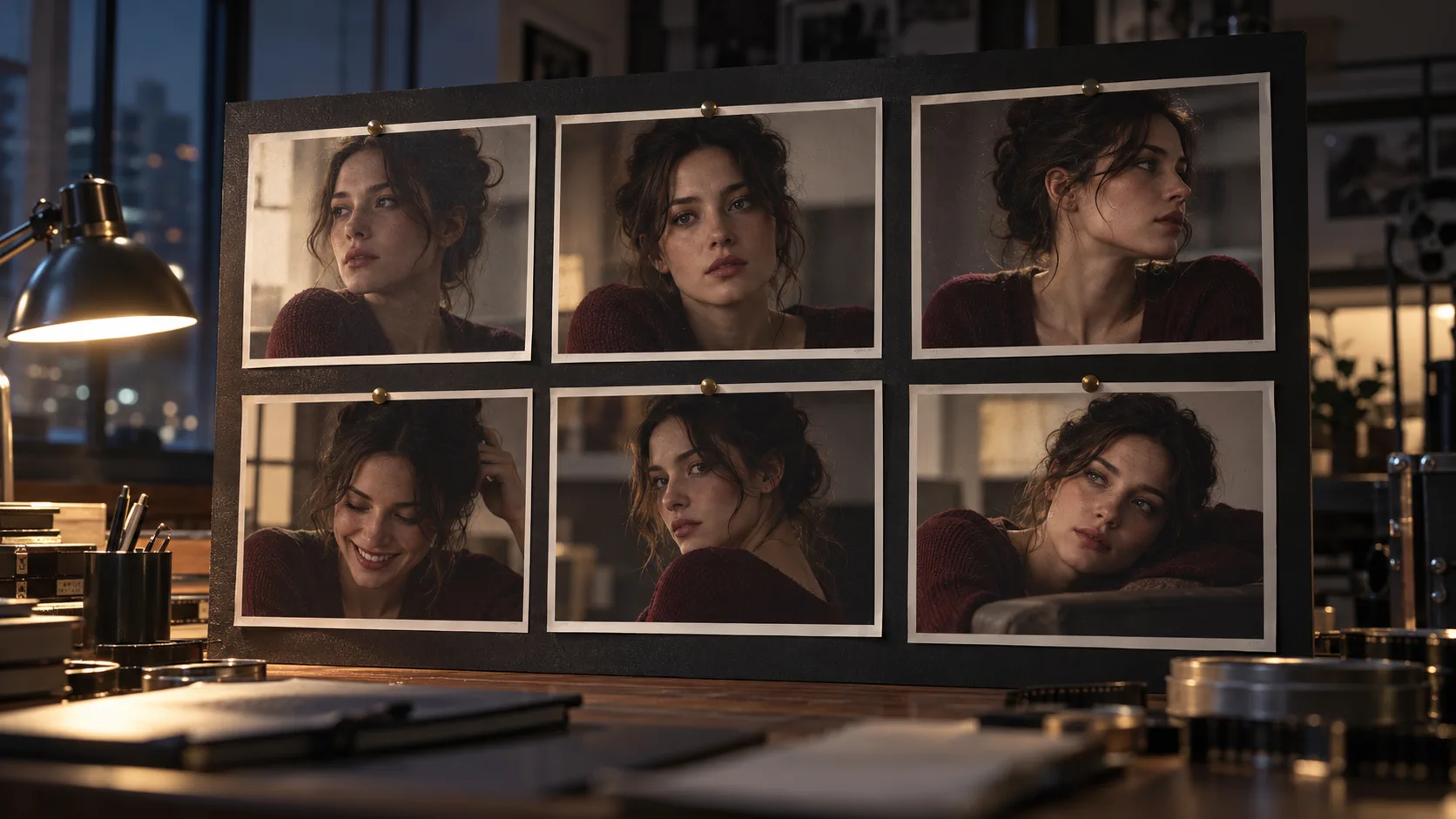
What must an AI character consistency prompt lock?
An AI character consistency prompt must lock identity, not mood. That means the same face, age, skin tone, hair line, body proportions and wardrobe anchors appear in every frame, while pose, camera and environment are free to change. A prompt that repeats “beautiful woman, cinematic” is not locking a character; it is asking for a new casting decision on every render.
The reliable approach combines a strong reference image with a short identity block that stays identical across the sequence. The reference supplies visual evidence. The prompt tells the model which details are non-negotiable. Lock removes the editing choices that often cause drift.
What is the six-block consistency prompt template?
Write the identity blocks once, save them, and reuse them verbatim. Keep the scene blocks outside the lock so the actor can move through a sequence without becoming a different person.
| Prompt block | What it should contain | Example |
|---|---|---|
| Identity | Face shape, age, skin tone and one distinctive detail | same adult woman, oval face, warm olive skin, small scar above left eyebrow |
| Hair | Length, texture, parting and line | dark brown wavy hair, centre part, loose strands at temples |
| Body | Height impression, build and posture | average height, narrow shoulders, upright posture |
| Wardrobe | Garment, colour, fabric and accessories | cream silk shirt under a charcoal wool overcoat, no necklace |
| Scene | Location, action and emotional beat | standing under a flickering station clock, waiting, guarded |
| Camera and light | One angle, one lens and one motivated source | medium shot, 50mm, cool overhead light with warm exit glow |
Which reference images should you provide?
Start with a clean front-facing portrait, a three-quarter view and a full-body frame in the intended wardrobe. A profile or expression close-up helps, but only after the first three are strong. Reference images should share the same lighting logic and neutral color balance; a warm, heavily filtered image will teach the model a cast that is hard to remove.
Use images of the face you have the right to use. If the character is fictional, generate or photograph a consistent model and treat that reference set as the source of truth. If the character is based on a real actor, confirm the relevant usage rights before rendering a commercial sequence.
- Front portrait: the clearest evidence of face shape and feature spacing.
- Three-quarter view: reveals cheekbones, nose profile and jaw depth.
- Full body: fixes proportions, height impression and wardrobe silhouette.
- Neutral expression: prevents the model from copying one scene’s emotion into every frame.
- Wardrobe detail: captures collar shape, fabric texture and the absence or presence of accessories.
- Optional expression or profile: adds range once the core identity already holds.
How do you adapt the template for image and video workflows?
For stills, the prompt can carry more scene detail because each render has time to resolve it. For video, identity needs to survive motion, compression, changing angles and sometimes several model passes. Keep the identity block even shorter in video prompts and place it before the motion instruction; the longer the sentence, the more likely later tokens will dilute the character.
A stills-first workflow gives video models a cleaner source. Build the cast and test the face in six frames with Soul ID, then take the strongest frame into a motion tool. The difference between motion and stills is also mapped in Soul v2 vs Soul Cinema. For the video-specific version of this workflow, including reference packs and start/end frames, see AI character consistency for video.
- Put identity before action in the prompt.
- Keep one camera angle per shot rather than describing a camera move and a character turn together.
- Preserve wardrobe language exactly across shots.
- Use the same reference frame for the first test of every new scene.
- Add motion only after the identity and wardrobe pass at 2K.
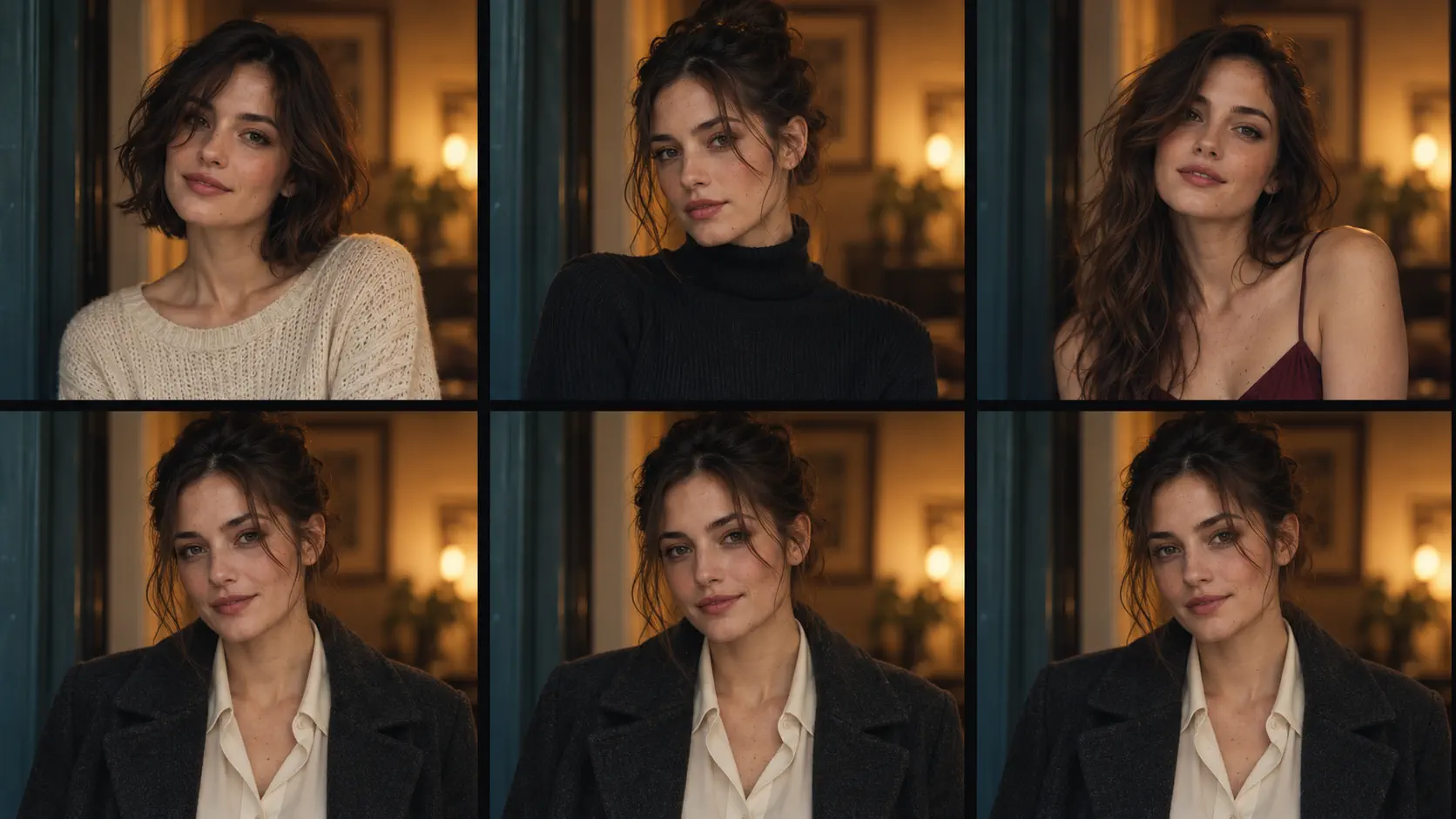
How do you diagnose face and wardrobe drift?
Compare the sequence at thumbnail size before examining detail. Drift is easiest to see when the images are small: the silhouette changes, the hair mass moves, the coat loses its shoulder line or the face becomes narrower between frames. If the thumbnails do not read as one person, the full-size renders will not rescue the sequence.
Then inspect four checkpoints at 100%: the eye line and brow shape, the ear position, the hairline and the wardrobe neckline. Those stable areas expose inconsistent references faster than expression, because expression is supposed to change. Fix the reference or prompt block before adding more beauty detail.
- Face: eye spacing, brow shape, nose length and jaw width.
- Hair: volume, part, texture and whether loose strands repeat coherently.
- Body: shoulder width, posture and the relationship between head and torso.
- Wardrobe: collar, shirt opening, pocket placement and sleeve length.
- Light: skin color that stays believable under the same source.
- Framing: whether a wide shot is simply hiding an identity error.
What is a copy-ready consistency prompt?
This prompt is intentionally plain. Replace the factual identity details with your own, keep the structure and render it at 2K until the actor holds across all six frames.
Same adult woman, oval face, warm olive skin, dark brown wavy hair with a centre part, small scar above the left eyebrow, average height and upright posture. Cream silk shirt under a charcoal wool overcoat, no necklace, same wardrobe in every frame.Standing under a flickering station clock, waiting, guarded. Medium shot, 50mm, cool overhead fluorescent light with a warm exit glow in the background. Steel blue, charcoal and one warm amber accent, subtle 35mm grain.Change only the camera and action between renders. Keep the face, hair, body proportions and wardrobe identical.
What are the most common consistency mistakes?
The most common failure is spending more words on styling than on identity. The second is using a different reference for every frame, which changes the evidence even when the prompt stays the same. The third is accepting a beautiful close-up as proof that the sequence works.
Consistency is a sequence property. One excellent portrait cannot prove it. Render the same person in a wide, medium, close-up and profile before you commit. If the face changes at the end of the set, the prompt is still describing an archetype rather than a character.
- A new reference image for every render.
- Adding “slightly different hairstyle” without realizing hair is part of identity.
- Changing both wardrobe and scene in the same test.
- Judging only a close-up instead of a six-frame sequence.
- Using contradictory age, face or build descriptions.
- Increasing resolution before the identity passes at 2K.
Frequently asked
What is an AI character consistency prompt?
It is a prompt block that repeats the visual facts defining one character: face, hair, body, skin and wardrobe. It works best when paired with a strong reference image and kept separate from scene or camera instructions.
How do I keep a character consistent in AI images?
Use one clean reference set, repeat an identical identity block, change one scene variable at a time and compare the six-frame sequence at thumbnail size before increasing resolution.
Can a prompt keep a character consistent without a reference image?
Sometimes, but the result is less reliable. A detailed prompt can narrow the casting, while a reference image supplies visual evidence for facial structure, hair and wardrobe. The combination is stronger than either alone.
Why does the wardrobe change between AI images?
Wardrobe is often described with vague fashion words rather than fixed garment details. Name the fabric, opening, color and silhouette, and keep accessories explicit. If a color must survive every render, use a palette lock or hex value.
How many reference images are enough?
Three core views are enough to begin: front portrait, three-quarter view and full body in the intended wardrobe. Add a profile and neutral expression only after those images produce a stable sequence.
Do these prompts work for video?
The same identity rules apply, but video adds motion, timing and multiple model passes. Put the character block first, keep the wardrobe exact and test the first motion shot against the approved still.
Your first cinematic frame is one prompt away
Sign in with Google, pick a plan and keep every still at the resolution the model produced. Plans from $12/month, cancel at any time. No watermark, no re-encode.