
Image to video prompt
Write motion instructions that an image-to-video model can actually follow: one action, one camera move, a controlled environment and a clear list of what must stay still.
What does an image-to-video prompt actually control?
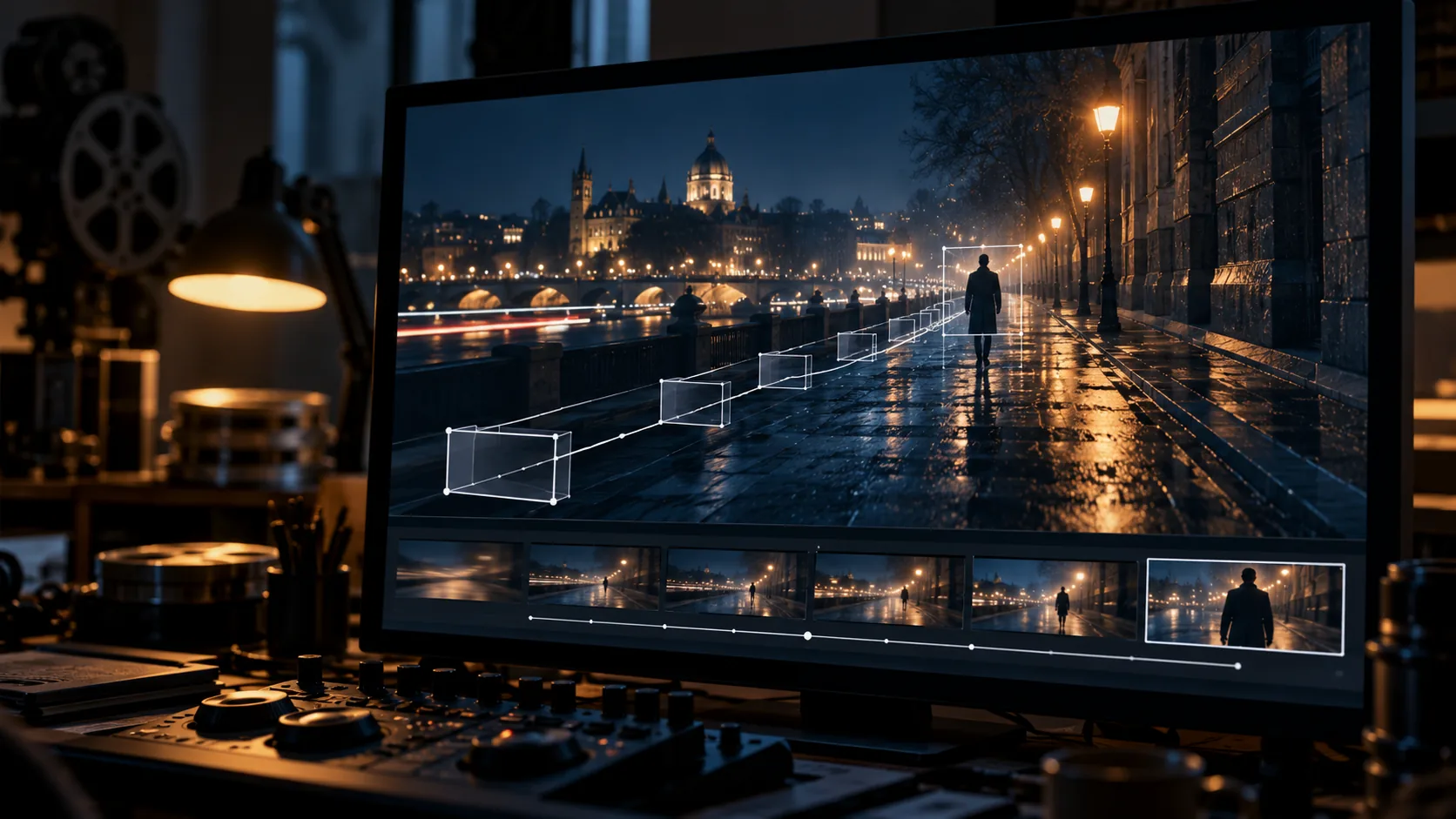
An image-to-video prompt controls change, not the scene. The source image already establishes the subject, wardrobe, location and composition; the prompt tells the model what moves, how the camera behaves, what the environment does and what must stay still. That division is why a prompt that re-describes the whole frame often produces worse motion than a short instruction focused on one action.
Current image-to-video models such as Kling, Runway, Veo and Seedance all take a start frame plus a text instruction. The syntax differs, but the useful information is the same: a visible action, a camera instruction, optional environmental motion and a list of things that should not change. The Kling image-to-video prompt guide makes the same point: describe what happens next, not what is already visible.
What is the four-part image-to-video prompt structure?
Use four blocks in this order: subject action, camera behavior, environmental motion and stillness plus negative constraints. The first block is mandatory. The other three are optional, but each one should be explicit when it matters to the shot.
| Prompt block | Example | What it controls |
|---|---|---|
| Subject action | She turns her head toward the window and lifts one hand to the curtain. | The single physical action the clip is built around. |
| Camera behavior | Locked-off camera; after two seconds, a slow five percent push-in. | How the frame moves, or that it does not move. |
| Environmental motion | Rain streaks across the glass; steam rises from the cup. | Ambient motion that supports the action without competing with it. |
| Stillness and negative | Face, wardrobe and background architecture stay fixed; no morphing or flicker. | What must not change, and which failures to suppress. |
How do you describe subject motion without morphing?
Name a physical action the camera could observe: turns, steps, lifts, reaches, sits, looks, breathes, opens or closes. Avoid abstract directions such as “make it cinematic” or “bring it to life”. Morphing usually starts when the prompt asks for several simultaneous actions, changes identity mid-sentence or describes something the source frame cannot support.
The most reliable pattern is one subject, one dominant action and one clear start and end. If the shot needs a turn and a walk, split it into two panels or two clips. A five-second clip with two actions is usually worse than two clips with one action each.
- Use a verb with a visible start and end: turns, lifts, reaches, sits, opens.
- Anchor the body part that moves: right hand, shoulders, eyes, head.
- Keep the face instruction simple: face stays stable, or only the eyes move.
- Avoid asking for new objects the source frame cannot reveal.
- Write the action in the present tense, as a direction to an actor.
- If the action needs more than five seconds, split the clip.
How do you direct camera movement in a prompt?
Start with a locked-off camera. A static camera isolates whether the subject motion works before camera movement adds another variable. When the motion is stable, add one camera move with a direction and a speed: slow push-in, pull-back, orbit clockwise, pan left, tilt up or a subtle handheld drift.
Two simultaneous camera moves are possible, but each one should be its own explicit instruction. “Dynamic camera” and “cinematic movement” give the model no direction. If the camera move is the point of the shot, say what stays fixed in the frame so the move has something to move against.
- Locked-off: no camera movement; the subject carries the shot.
- Push-in or pull-back: slow, medium or fast, with a direction.
- Orbit: clockwise or counter-clockwise, and whether the subject stays centered.
- Pan or tilt: direction and end point, not just the verb.
- Handheld: subtle drift, not shake; say what should remain readable.
- Avoid two moves unless each has its own sentence and purpose.
Which environmental motion is worth adding?
Environmental motion is the cheapest way to make a still feel alive, but it should support the action rather than compete with it. Rain, steam, smoke, fabric, hair, foliage and practical-light flicker are all readable at small scale. Pick one or two, not five.
The safest environmental cues are the ones that touch the subject: a coat hem lifting in wind, hair moving across the face, steam crossing a collar. Background motion that changes the set — moving furniture, new vehicles, changing architecture — is a continuity risk and usually a sign that the prompt is trying to do too much.
- Weather: rain, snow, mist or wind.
- Atmosphere: steam, smoke or dust.
- Fabric and hair: coat hem, curtains, loose strands.
- Light: practical-lamp flicker, television glow, passing headlights.
- Background: crowd blur, traffic, water reflections.
- Avoid motion that changes the location’s fixed architecture.
What should an image-to-video negative prompt contain?
Start with the failures that affect every clip: morphing, warping, flicker, jitter, blur, face deformation, extra limbs, changing wardrobe, unstable lighting and text artifacts. Then add terms specific to the shot. A portrait needs eye and skin protection; a landscape needs horizon stability; a product shot needs label and shape protection.
A negative prompt is not a substitute for a clean source frame. If the source has a tiny hand, an ambiguous edge or unreadable text, the model will usually make it worse. Fix the frame first, then use the negative prompt to protect the decisions that are already correct.
- morphing, warping, melting, stretching
- flicker, jitter, strobing, exposure pumping
- face deformation, changing identity, plastic skin
- extra fingers, extra limbs, fused hands
- wardrobe changes, colour shifts, disappearing props
- text, letters, numbers, watermark, logo
- unstable lighting, blown highlights, crushed shadows
- camera shake, unless handheld movement was requested
How do you choose the source frame?
Choose a frame that already implies motion. A subject caught mid-step, a coat lifting in wind, steam rising from a cup or a hand reaching for a door gives the model a physical action to continue. A perfectly symmetrical, static pose gives it nothing to animate.
The frame also has to survive the video model’s crop and compression. Keep the subject clear of the edges, leave negative space for a camera move and avoid tiny text, logos or fragile details that will turn into artifacts as soon as the image moves.
- High resolution with clean edges and no compression artifacts.
- A clear subject and a readable silhouette at thumbnail size.
- Depth separation between the subject and the background.
- Negative space for the camera move you plan to request.
- One obvious motion affordance: pose, wind, water, steam or light.
- No tiny text, logos or fragile details near the frame edge.
- Wardrobe and light consistent with the next shot in the sequence.
How do you keep one shot consistent across clips?
Consistency across clips is a production discipline, not a prompt adjective. Keep the same source frame, wardrobe and light logic; change only the action or the camera move. For a sequence, generate the keyframes first, approve them, then animate each one with the same motion vocabulary.
Start and end frames are the strongest control when the model supports them. Generate both frames with the same character reference and location plate, then let the model interpolate the motion between them. If the model only accepts a start frame, keep the camera locked and the action small so the model has fewer variables to invent.
- Lock the character reference before generating the first clip.
- Keep the location plate and light direction fixed across shots.
- Use start and end frames when the model supports them.
- Reuse the same motion-prompt skeleton for every clip.
- Generate one test clip before committing to the full sequence.
- Compare the first and last frame of each clip at thumbnail size.
What is a copy-ready image-to-video prompt?
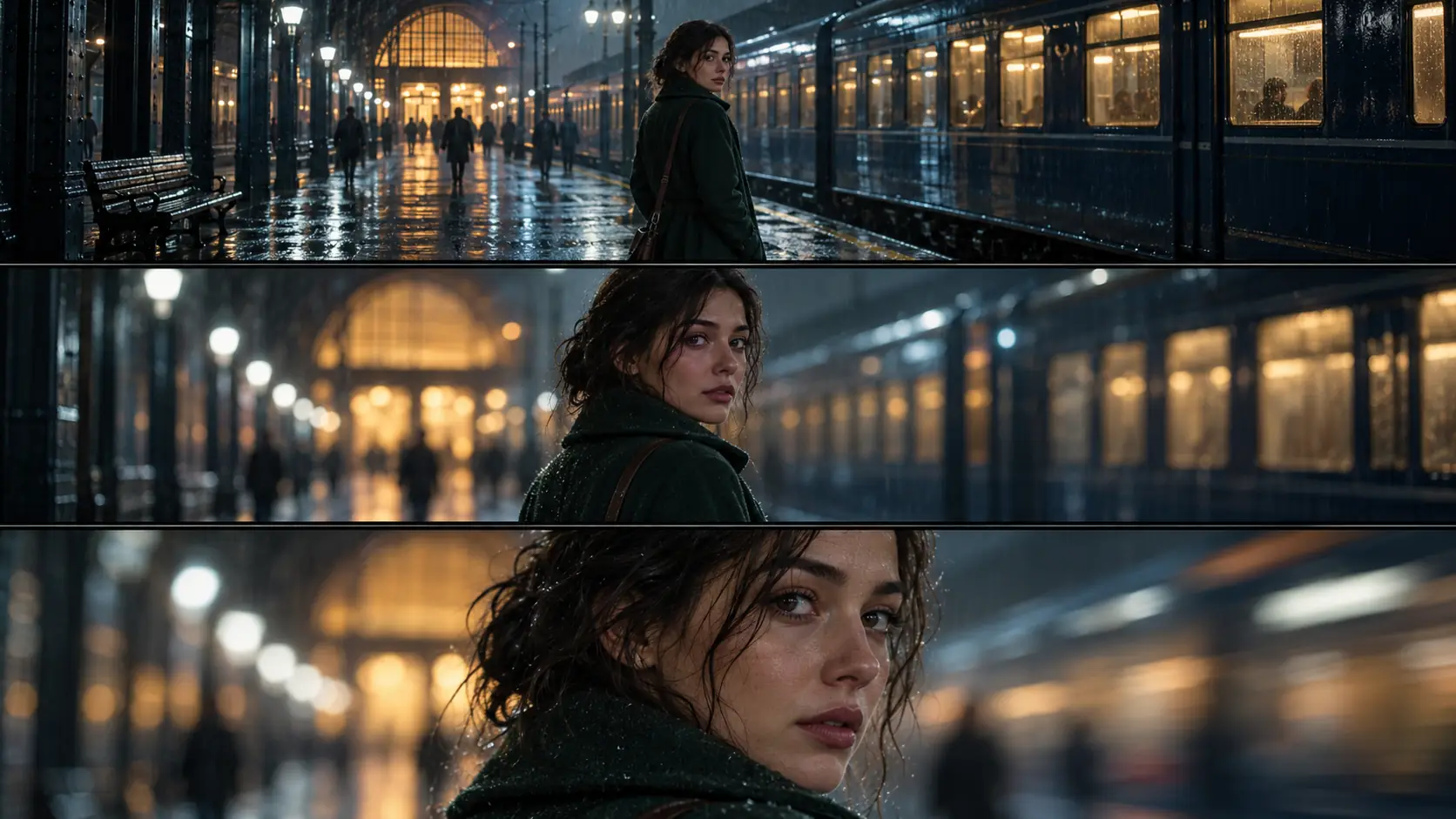
The following prompt is written for a rainy station portrait. It uses the four blocks, keeps one action and fixes the camera. Replace the subject and environment, but keep the order.
Subject: the woman in the green coat turns her head toward the departing train and lifts one hand to the collar of her coat. Camera: locked-off, then a slow five percent push-in after two seconds. Environment: rain streaks across the platform, steam drifts from the train doors. Stillness: face, wardrobe and station architecture stay fixed. Negative: morphing, flicker, face deformation, extra fingers, text, watermark.
The prompt is short because the source frame already does the casting, wardrobe and production design. If the first result misses, change one block at a time: action, then camera, then environment. Do not rewrite all four after every render.
How do you QA a clip before generating the next shot?
Judge the first clip at three sizes: thumbnail, deck size and full size. At thumbnail size, ask whether the motion reads without sound. At deck size, check whether the camera move supports the action. At full size, inspect the face, hands, wardrobe edges and background stability.
A clip that fails one of these checks will usually fail in the edit too. Regenerate the single shot before generating the next one; fixing a clip later costs more than fixing the frame now.
- The requested action happens, and only that action happens.
- The face holds its identity through the full clip.
- Wardrobe, hair and props stay consistent.
- The background architecture does not bend or change.
- The camera move is readable and matches the prompt.
- There is no flicker, morphing or frame-to-frame texture crawl.
Frequently asked
What is an image-to-video prompt?
It is the text instruction that tells an image-to-video model how a still frame should change over time. It usually names the subject action, the camera behavior, optional environmental motion and the things that must stay still.
How long should an image-to-video prompt be?
Most current models do well with a short instruction focused on one dominant action. Lead with the main motion, add the camera and environment only when they matter, and remove any sentence that repeats what the source frame already shows.
Should I describe the whole image in the prompt?
No. The source frame already defines the subject, wardrobe, location and composition. Re-describing those details competes with the image and often makes the model change them. Describe what moves and what must not move.
How do I stop the face from morphing?
Use a clean, high-resolution source frame, ask for one simple action, state that the face stays stable and avoid repeating identity details that are already visible. If the model supports it, use start and end frames with the same character reference.
Can I use a Soul Cinema still as the start frame?
Yes. Soul Cinema renders cinematic stills at 2K, 4K or 8K, which makes it a source-frame tool for an image-to-video model. Soul Cinema itself does not render video; the motion step happens in a separate video model.
What negative prompt should I use?
Start with morphing, warping, flicker, jitter, blur, face deformation, extra fingers, wardrobe changes, unstable lighting and text artifacts. Add terms specific to the shot, such as eye distortion for a portrait or horizon warping for a landscape.
Your first cinematic frame is one prompt away
Sign in with Google, pick a plan and keep every still at the resolution the model produced. Plans from $12/month, cancel at any time. No watermark, no re-encode.